 WriterMorph
Plan the story. Write the book.
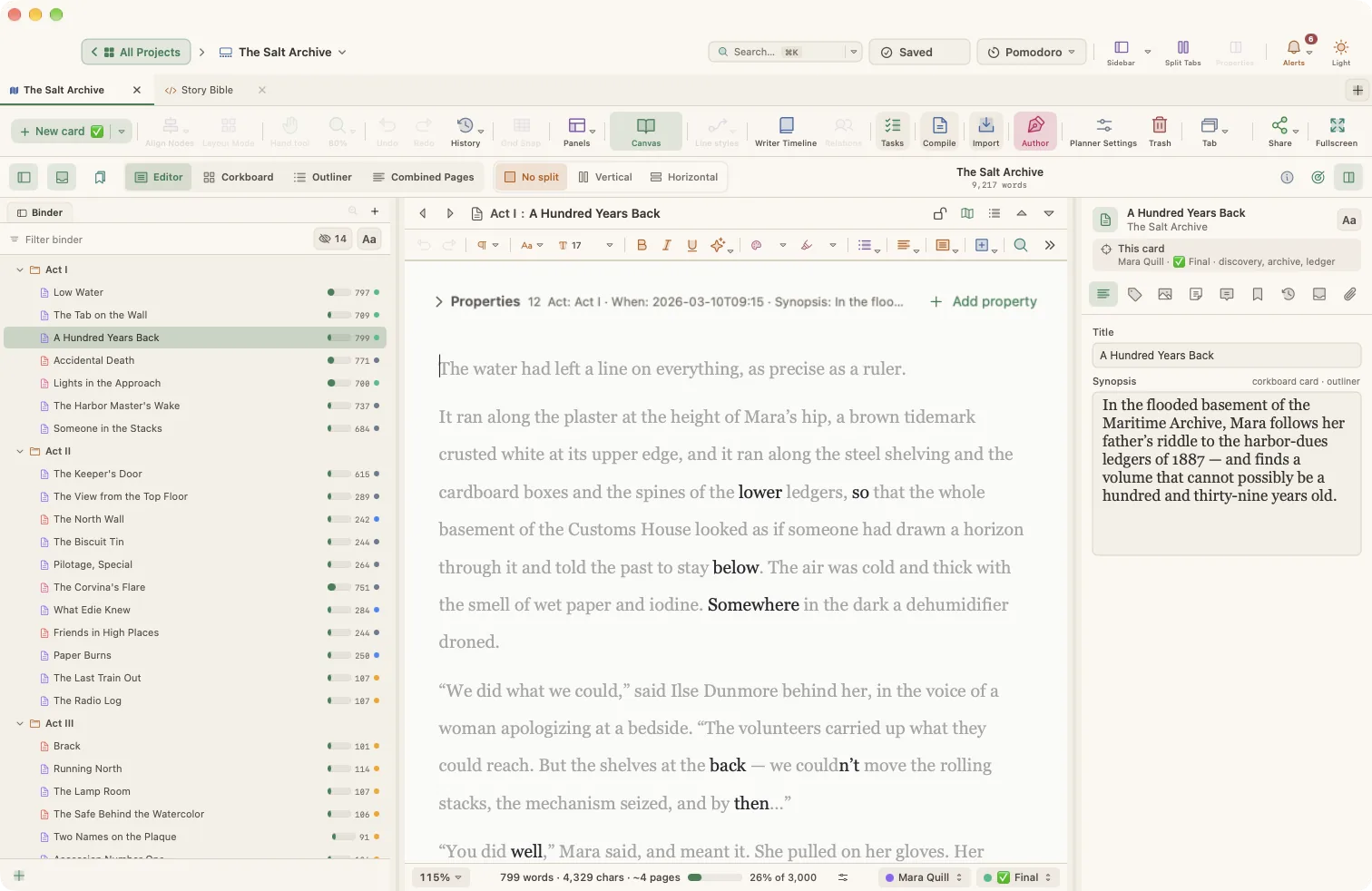
WriterMorph is a distraction-free writing app for the Mac. Plan scenes on a canvas, write in a binder-based manuscript editor, on a quiet full-screen page or on Dactylo, the typewriter, and compile the finished book.

30 days of use free, then $49.99 $29.99 once · macOS 15 Sequoia or later · by HiMorph
Everything a long book needs
Plan, write and finish a novel, a screenplay or a thesis in one project, with no other tools to keep in step.
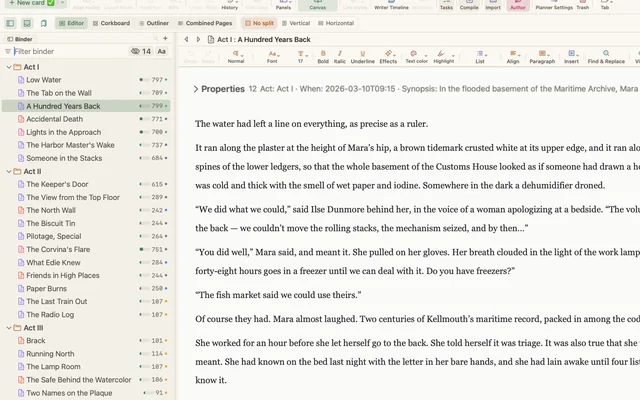
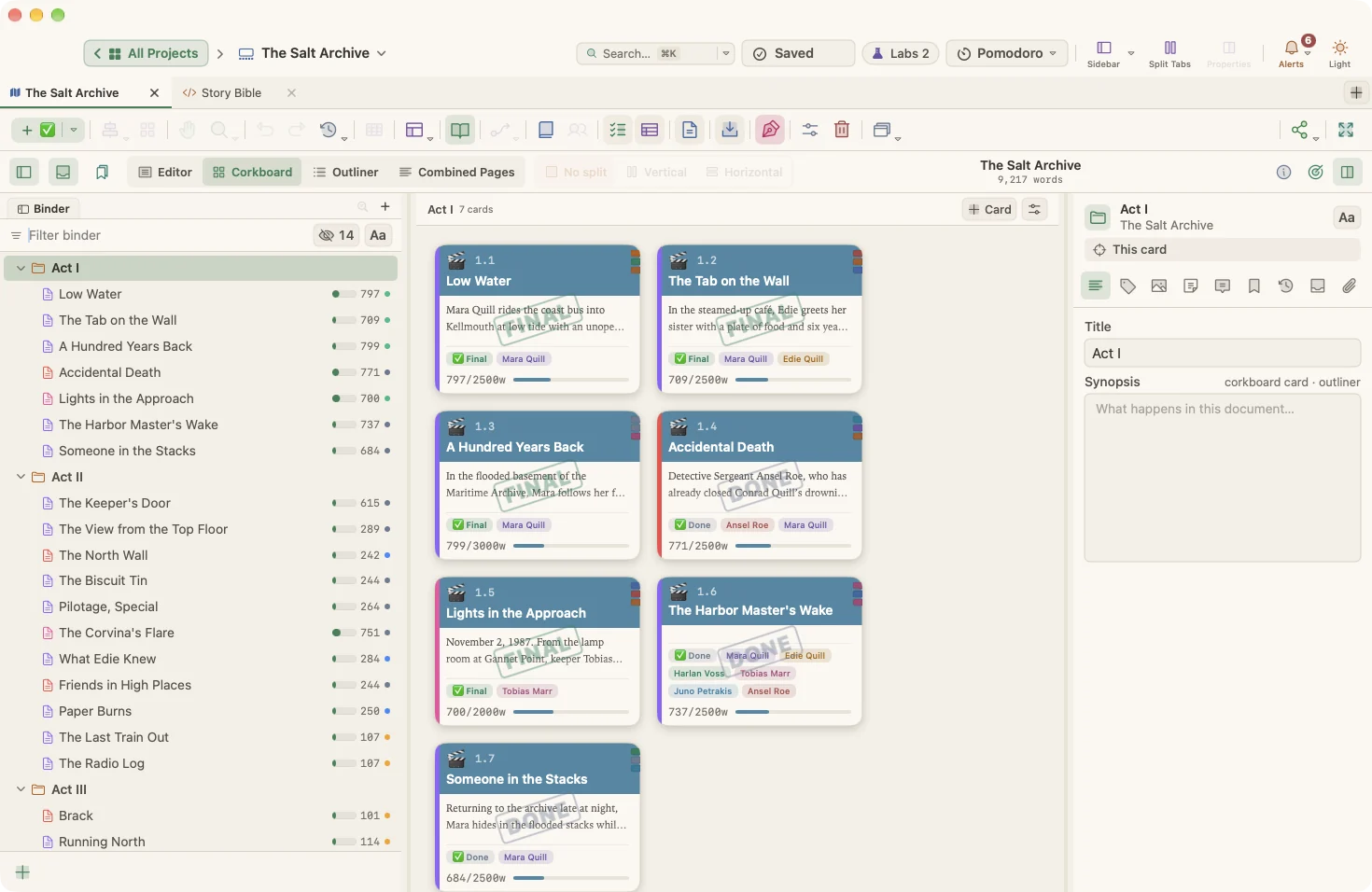
- WriteA manuscript editor with binder, Inspector, corkboard and outliner.
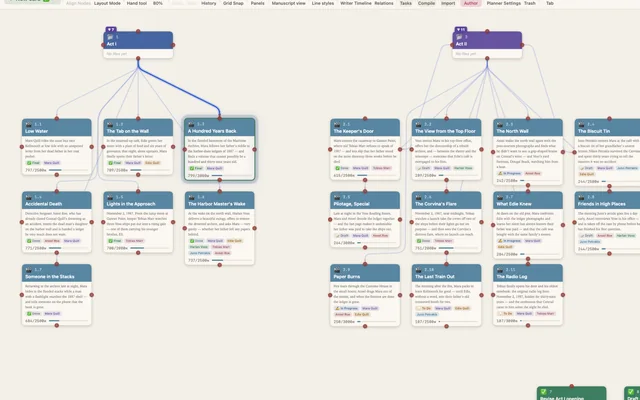
- PlanScenes, characters and places as cards on a canvas.
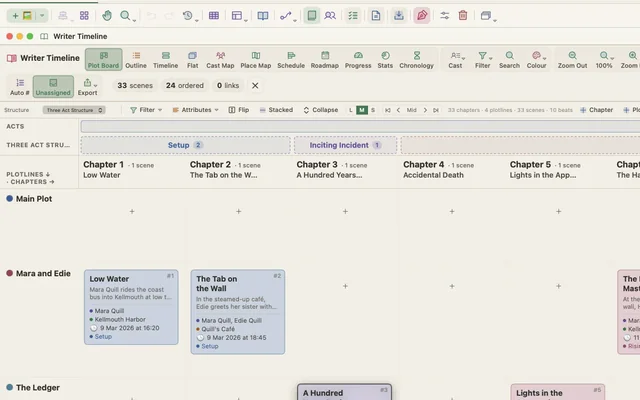
- StructurePlot Board, story time, cast and tension, from the same scenes.
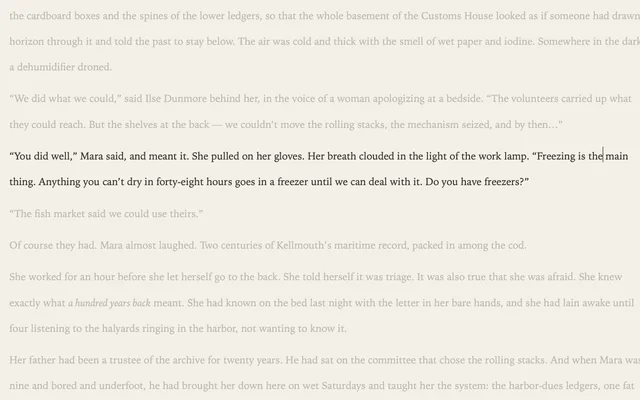
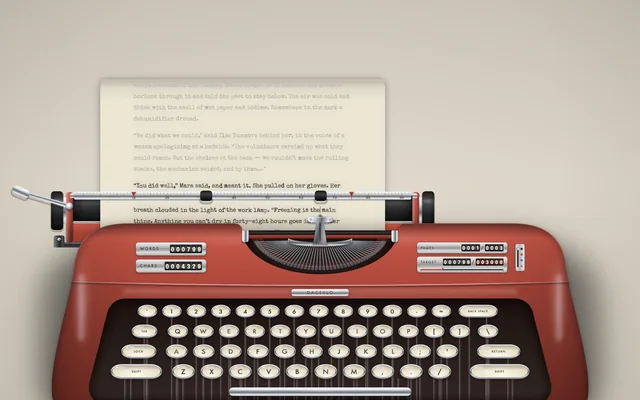
- FocusComposition mode: just the page. Or roll it into a typewriter with Dactylo.
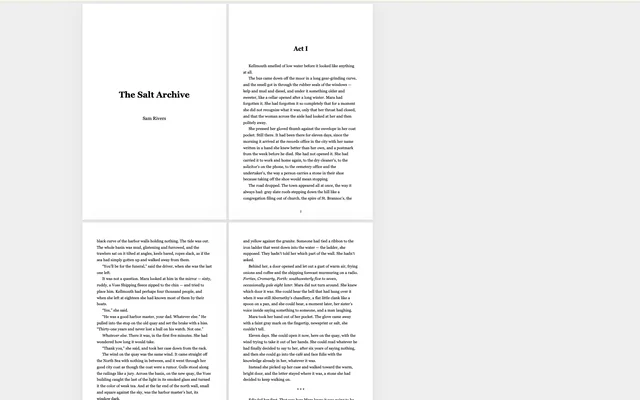
- FinishCompile to PDF, EPUB, Word, Fountain or Final Draft.
Write with the facts in view
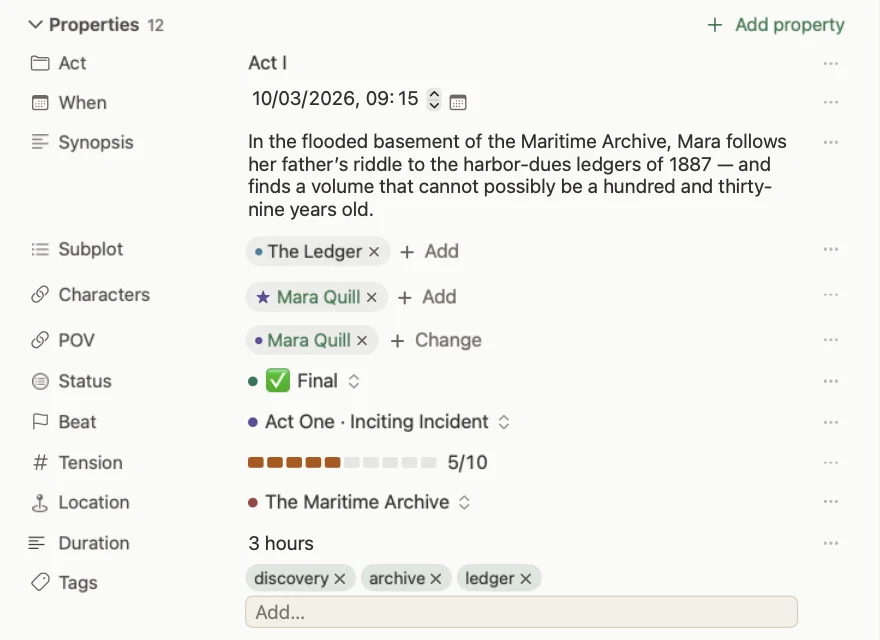
Each scene keeps its point of view, place, beat, tension and story time right above the text. Change them there and every other view updates.
- A calm editor with styles, tables, comments and footnotes
- Snapshots, revision colors and version history
- Composition mode for nothing but the page
See your prose clearly
Linguistic Focus highlights dialogue, adverbs or the words you repeat close together, and fades everything else. Text Statistics shows readability and the words you lean on, and Writing History counts every day.
- Linguistic Focus, including Echoes for repeated words
- Text statistics, word frequency and readability
- Writing History, Name Generator and Script Mode
Plan on a canvas
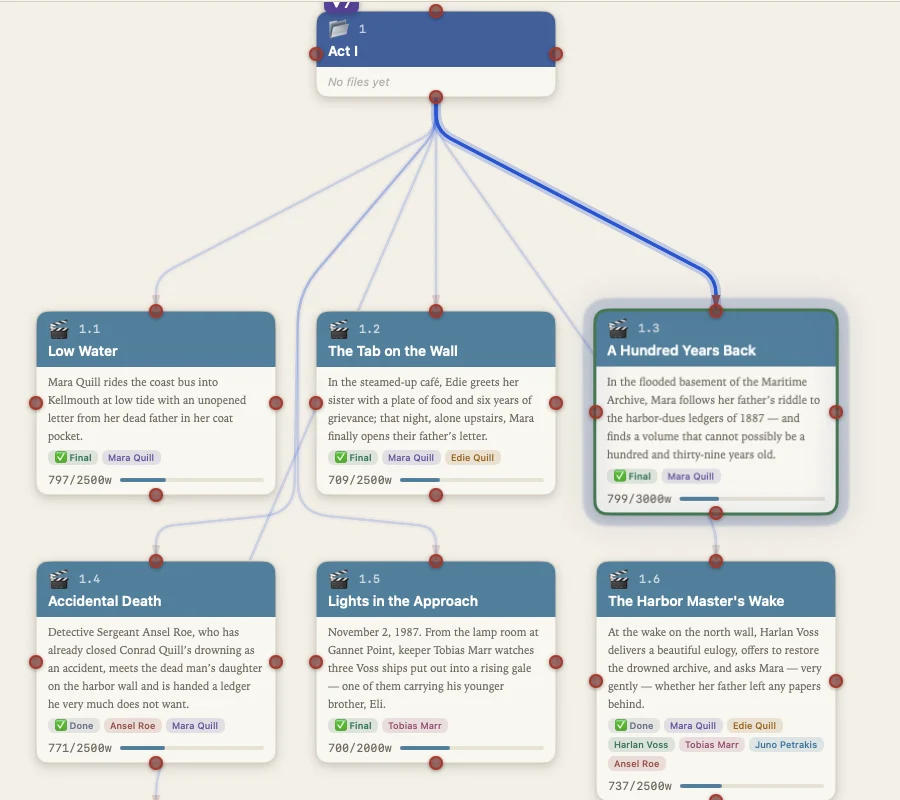
Start with cards for scenes, characters, places and ideas. Connect them, group them under acts, and see the whole book before you write a page of it.
- Card types, colors, tags and status
- Connections with labels and line styles
- Automatic layouts and saved views
See the shape of the book
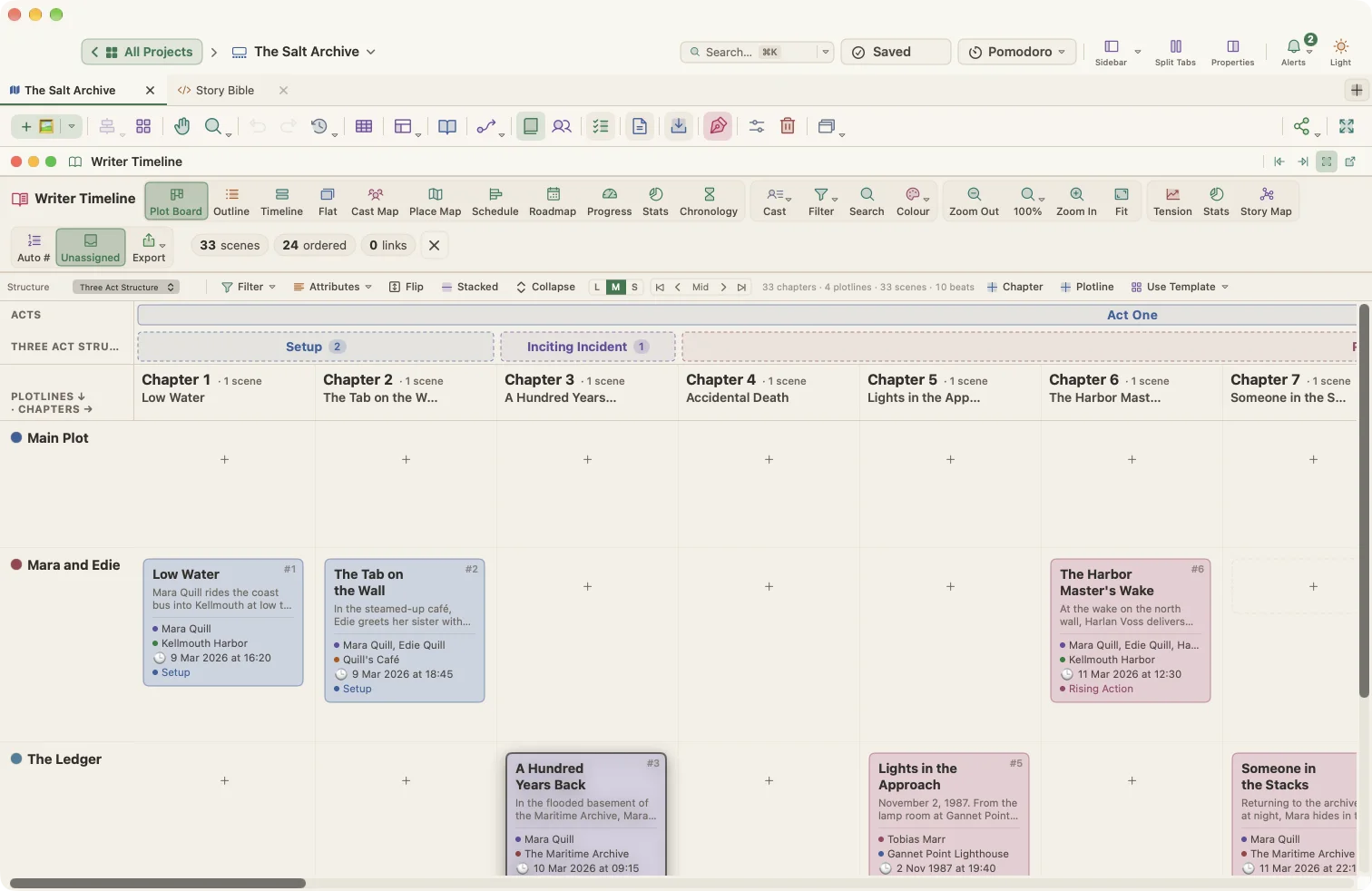
The Plot Board lays every scene over the beats of Three-Act, Hero's Journey, 15-Beat Structure or Freytag, with a lane for each plotline. A sagging middle shows up as empty space.
Keep story time straight
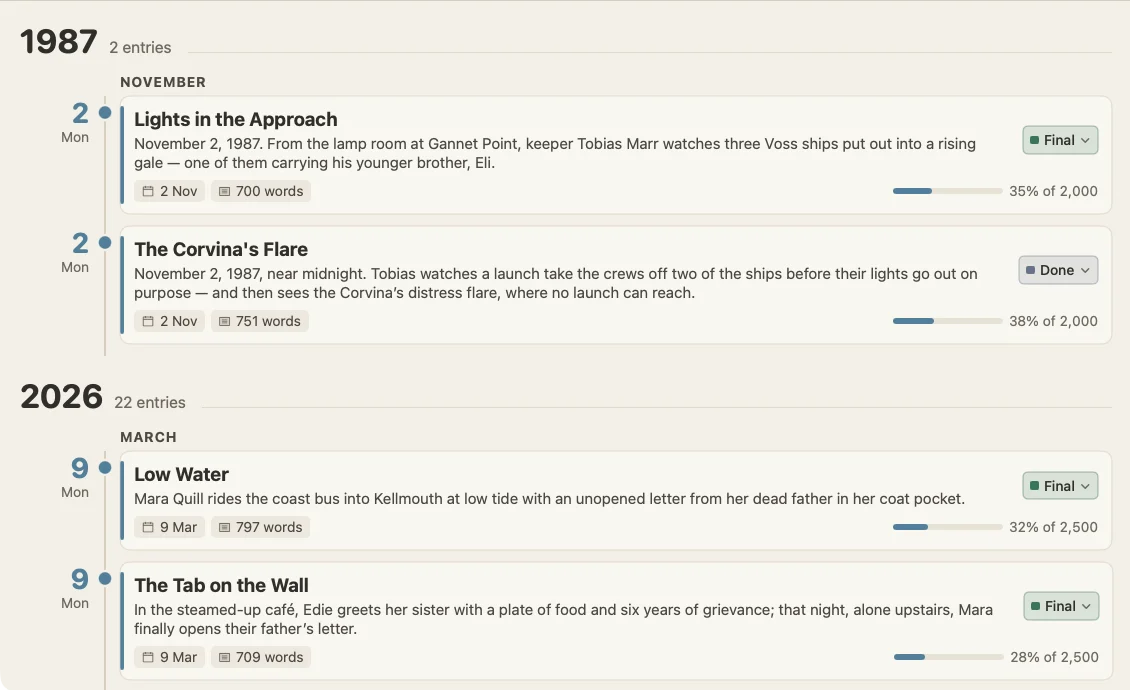
Give scenes a date and time and the Chronology view sorts them by when they happen. Two weeks in March and one stormy night in 1987 stop getting tangled.
- Chronology, timeline, outline and flat views
- Cast and place maps across every scene
- Conflicts and gaps become visible
Feel the rhythm
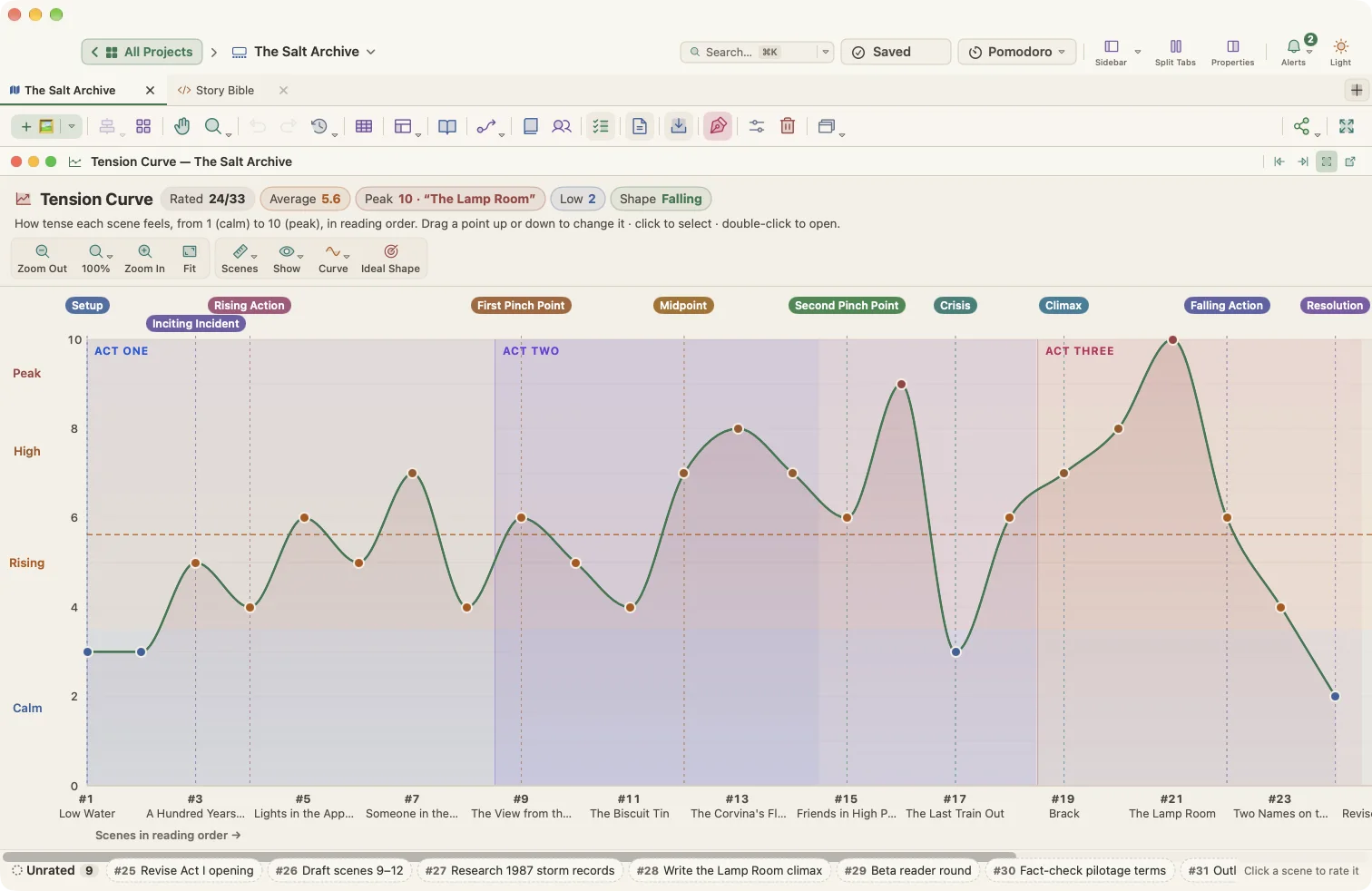
Score each scene's tension and watch the curve of the whole book, act by act. Drag a point to rescore a scene.
Stay on schedule
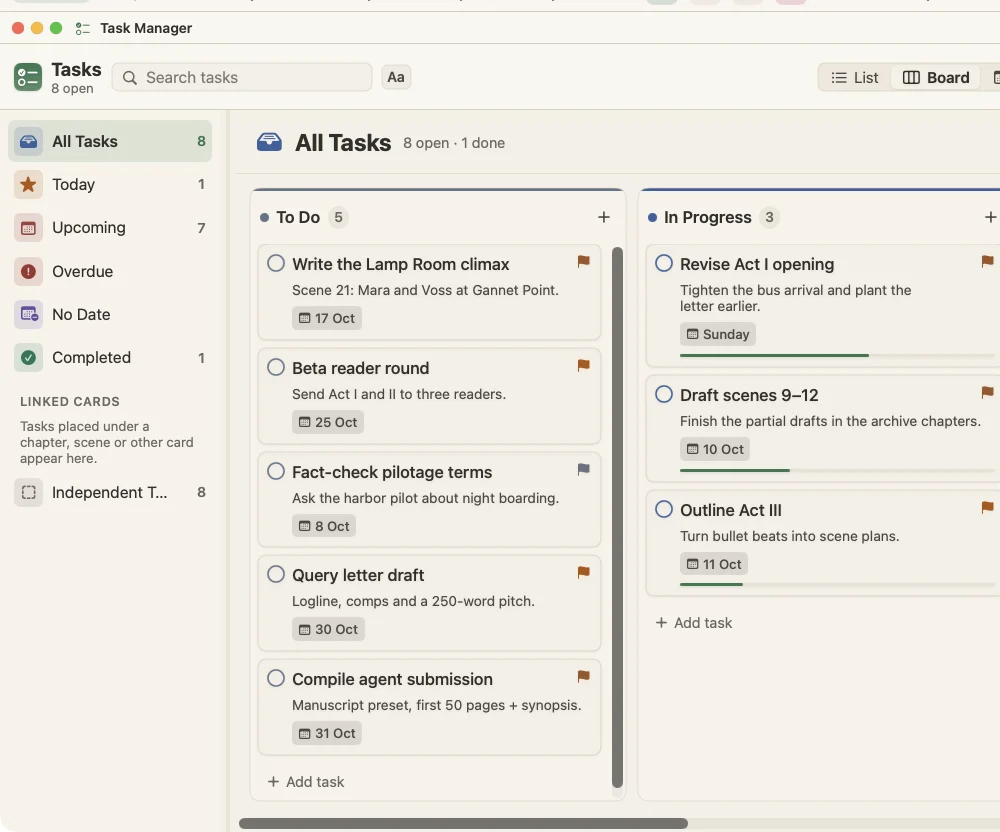
Deadlines live in the same project as the book. Task cards have dates, priorities and dependencies, and show up on a board, a calendar and a Gantt chart.
- Task board, calendar and schedule
- Reminders on your Mac
- A Pomodoro timer in the toolbar
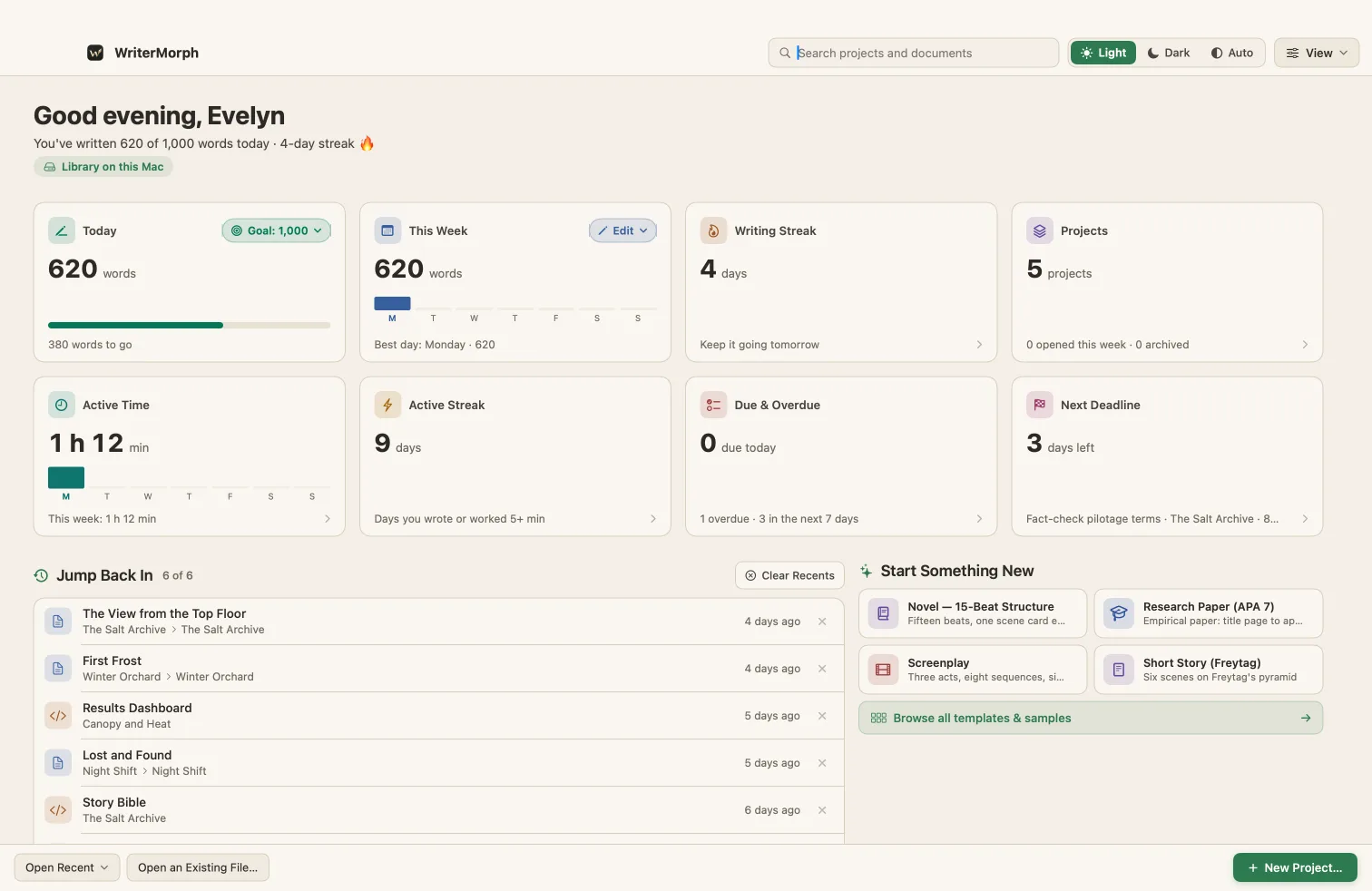
Your writing life at a glance
The Home screen counts today's words against your goal, your streak and the time you worked, and lists tasks due in every project. Choose the cards you want; click one to see what is behind it.
- Today, This Week, Writing Streak and Projects
- Active Time, Due & Overdue, Next Deadline and more
- Jump Back In to the tab you were using
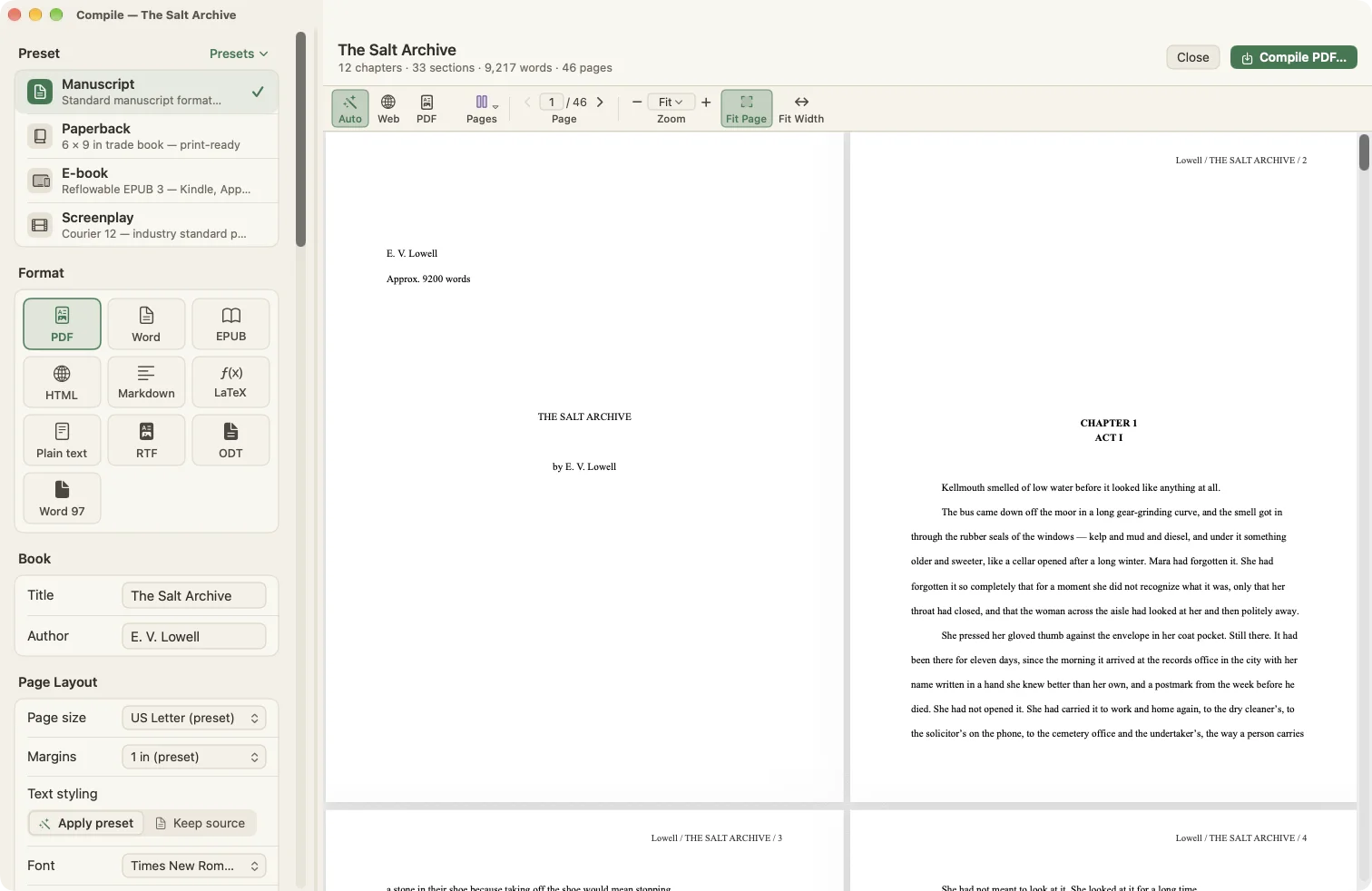
Compile the finished book
Compile Studio turns the binder into a submission manuscript, a paperback interior, an e-book or a screenplay, with every page previewed before you export. Compiling never changes your text.
Real work, recorded in the app
No mock-ups. Each chapter is a screen recording of WriterMorph with the sample projects.
Nothing but the page
Composition mode fills the screen with your text and nothing else. The bar at the bottom hides while you type; pin it if you prefer.
- Focus dims every paragraph except the one you are writing
- Typewriter scrolling keeps your line at the same height
- Paper width, text scale, background fade and your own background picture
- A daily target and a Pomodoro timer in the bar
- Go To any document without leaving the page
A typewriter, inside your Mac
Turn on Dactylo and the document you are writing goes into a typewriter. It is not a separate app: it is your manuscript, saved in your project, on a sheet of paper you can hear.
Every key, every return
The paper feeds line by line, the carriage moves with each letter and comes back with a return, and a bell rings as you near the margin.
- Recorded key, space, bell and carriage-return sounds, with a volume control
- The keys mirror your Mac's keyboard and move as you type
- Five machines; change the key colour on any of them, and the paper and ink
- Set the margins on the ruler; scroll the paper back to reread any page
- Word, character, page and target counters on the machine
- View › Dactylo, or the Dactylo button in Composition mode
 PortableRed, compact
 OfficeBlack, heavy
 SeafoamMint, light
 PopRed plastic, ivory keys
 ChromeMirror chrome, mint keys
Key colours to choose from on any machine: ivory, black, grey, mint or red. The key sounds are recordings of a real typewriter, released under Creative Commons 0.
The tools you rely on, and more
WriterMorph is built for the same kind of long writing. The parts you use every day are here under familiar names, and you can bring a whole project with File › Import Files › Scrivener Project.
Footnotes, comments, citations and a bibliography are here too. On top of that: Dactylo, a plot canvas, the Writer Timeline with its Plot Board, Chronology and tension curve, tasks and deadlines, and a Home screen for your writing life. How importing works.
A writing tool. Not an AI product.
WriterMorph never writes for you, never reads your work and never sends it anywhere. What you make in it belongs to you, as files you can open, copy and keep.
- No AI inside the appNo text generation, no rewriting, no built-in assistant. Every sentence in your book is yours.
- Your files, on your MacEach project is one .wmorph file in a folder you choose, or in iCloud Drive if you prefer. No account and no server.
- Nothing leaves without youNo analytics, no telemetry and no training on your writing. WriterMorph works offline.
- An assistant only if you open the doorIf you already use one, you can connect it. It stays off until you switch it on, can only read until you allow changes, and every change can be undone.
One app for every kind of long writing
- NovelistsScenes, beats and story time, then a manuscript ready for agents.
- ScreenwritersScene cards, and Courier pages that compile in standard format.
- PlaywrightsActs and scenes in the binder, from the Stage Play template.
- StudentsEssays in MLA, APA or Chicago, with a word target in sight.
- AcademicsThesis chapters, deadlines and a schedule that keeps up.
- ResearchersPapers and lab reports, with your notes beside the draft.
- MemoiristsMemories as cards, sorted by when they happened.
- Non‑fiction authorsChapters and a book proposal, planned before you write.
- PodcastersEpisode scripts and newsletter issues in one place.
- PoetsA collection in order, every poem on its own card.
Start with a structure that fits
29 templates set up the binder, the planner cards and the compile settings for their kind of writing.
 Novel: Three Act
 Thesis / Dissertation
 Screenplay
 Memoir
Finished projects, step by step
Complete sample projects you can download and open. The stories, people and research in them are fictional and were written for this site.
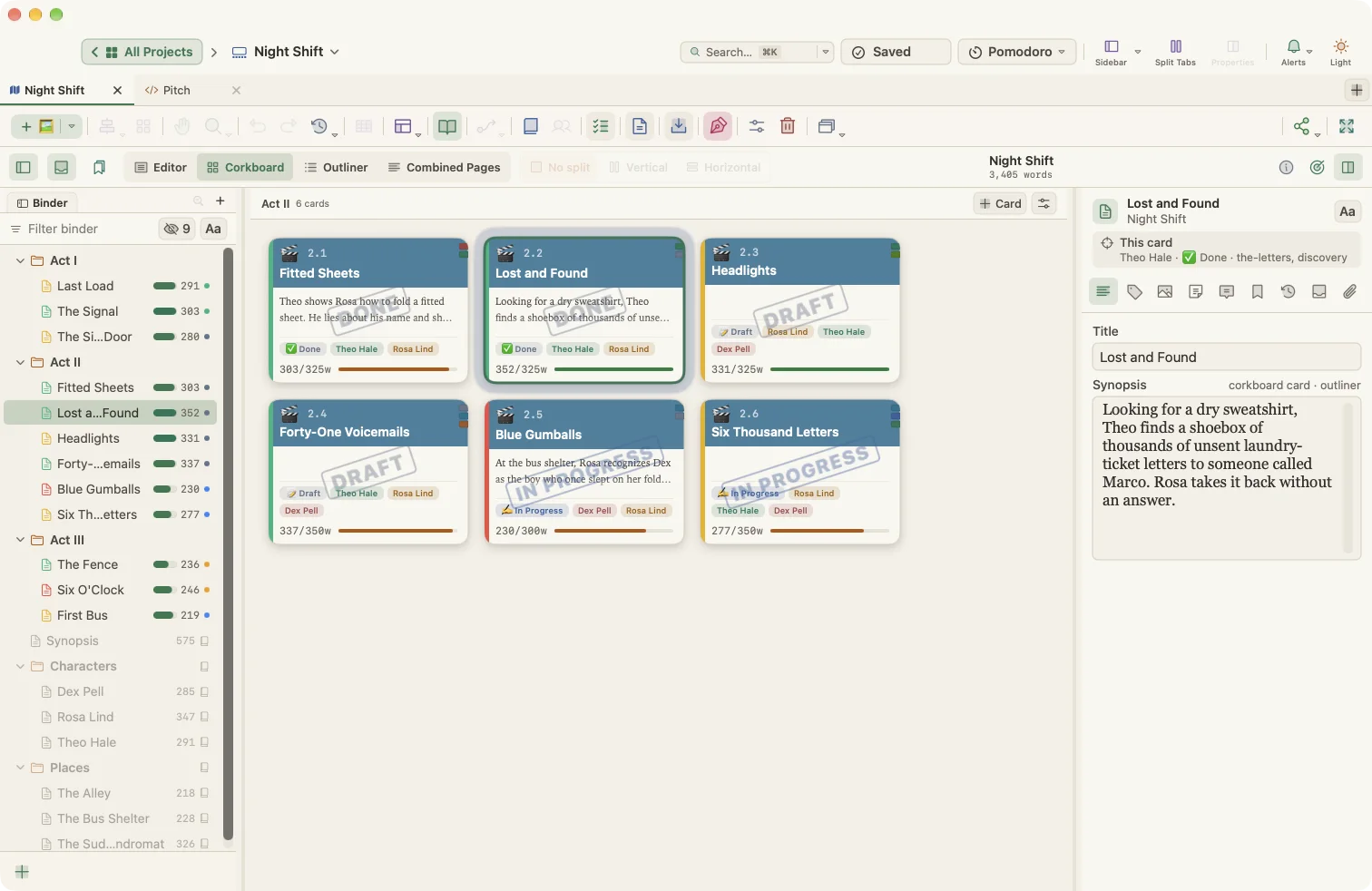
From a canvas of cards to an agent submission
Planning a dual-timeline mystery, keeping two weeks of story time straight, and compiling the first fifty pages.
One night, twelve scenes, ready to pitch
Breaking a short film into scenes over a single night, writing it in script format, and pitching it.
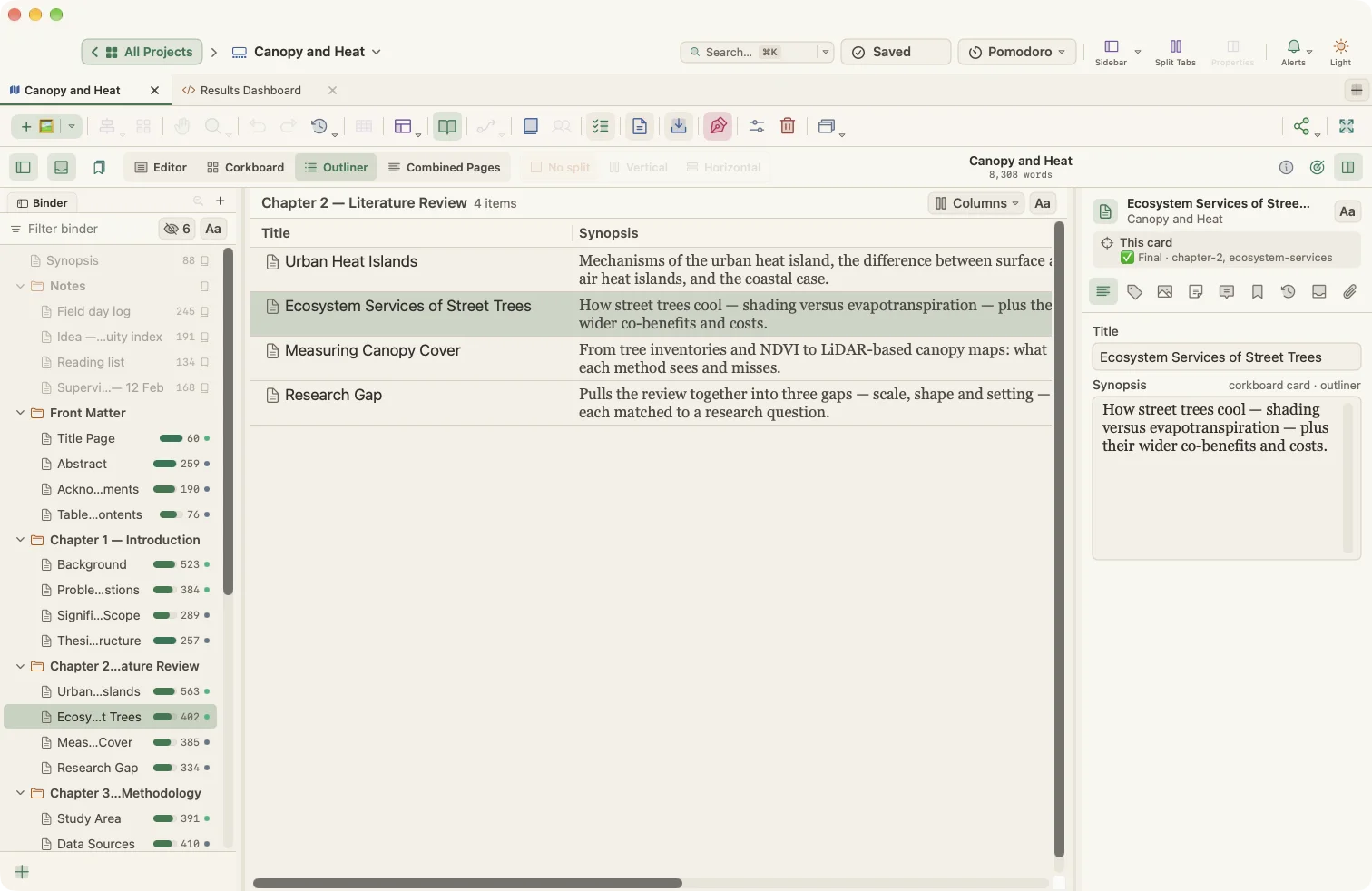
A thesis on a deadline
Twenty-six sections with word targets, supervisor notes kept apart, and a submission PDF.
Inviting an assistant in, on your terms
WriterMorph has no AI. This walkthrough shows what happens when a writer chooses to connect Claude Code or Codex: switching it on and off, properties it filled in, a plan it drafted and the pages it opened.
Extras, when you want them
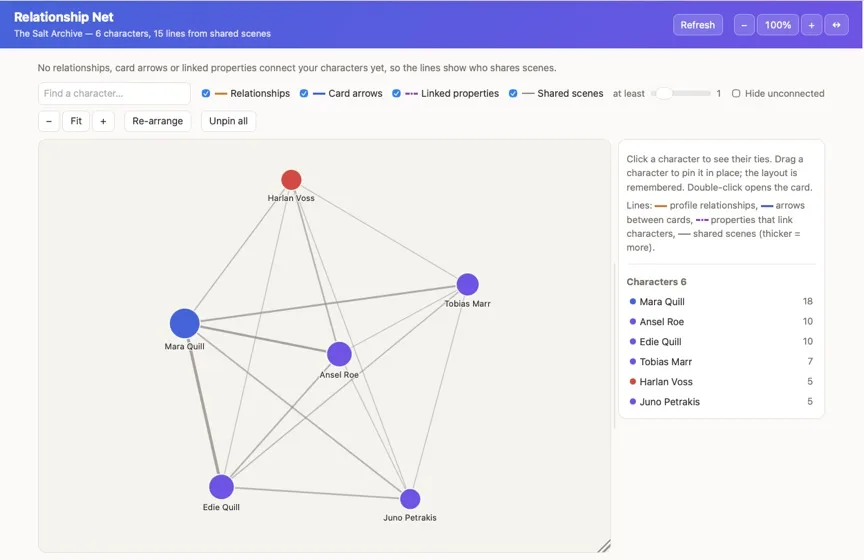
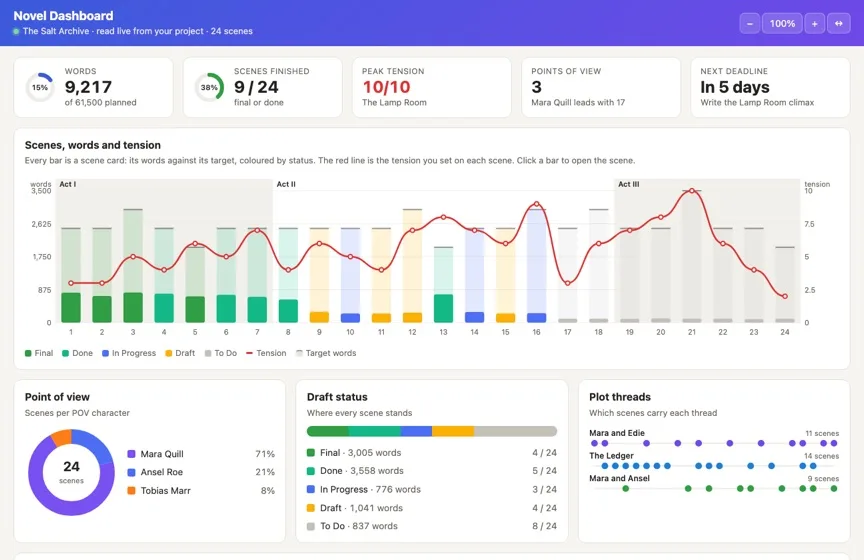
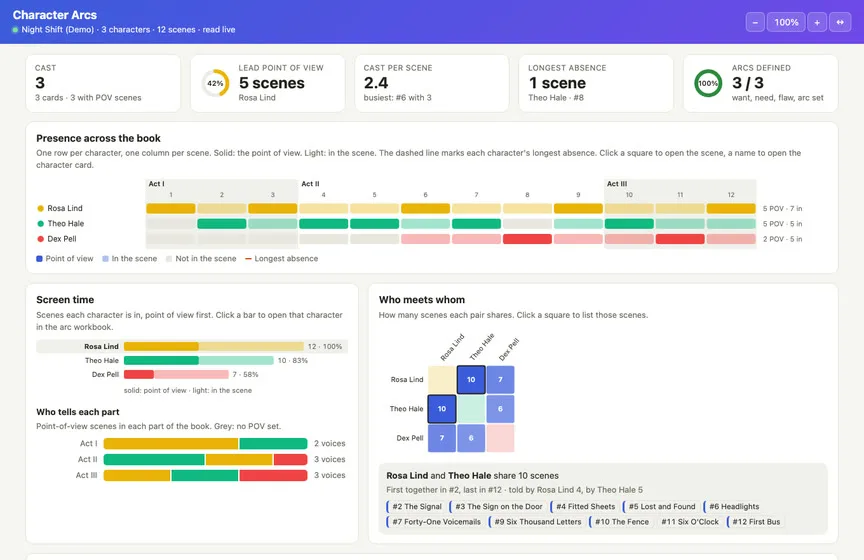
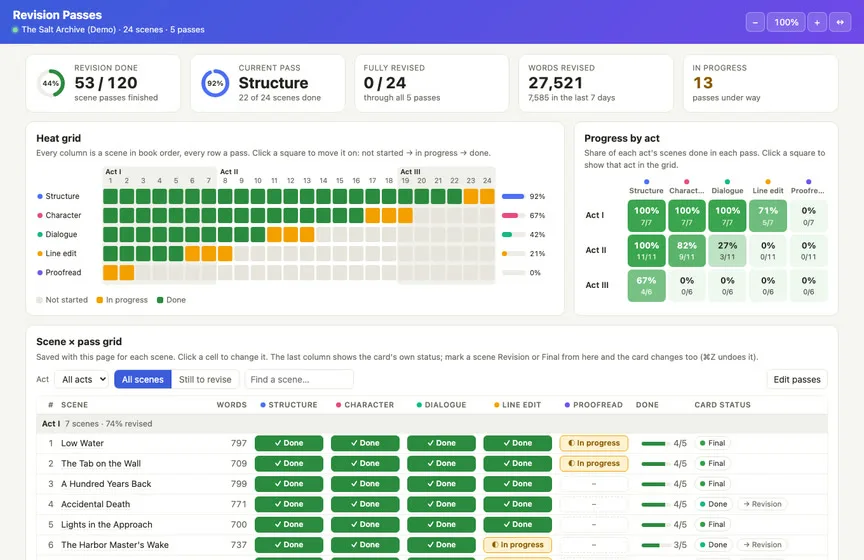
Live Pages are dashboards and trackers inside a project, for writers who like to see the numbers.
They read your cards as you write: words against target, tension by scene, who carries the point of view, the next deadline. Start from one of 48 templates in seven groups, from a Novel Dashboard or a Beat Sheet Tracker to a Reading Log. They stay off until you turn them on.
A Labs feature: turn it on in Settings › Labs.

“Kellmouth smelled of low water before it looked like anything at all.”
The opening line of The Salt Archive, a sample novel written in WriterMorph for this site. Download it and read on.
Invite an assistant in, on your terms
WriterMorph contains no AI. If you already use Claude Code or Codex on your Mac, you can let it into the open project. It works with the same cards you do, and only while you allow it.
Everything inside WriterMorph is recorded live. The assistant's chat window is a simplified mock-up.
What it can do
- Draft acts, scenes, characters and places as cards
- Fill in point of view, beat, tension, place, dates, status and targets
- Write or revise text, synopses and notes
- Reorganize the binder and connect cards
- Build pages in the project, or open a Live Page template: a relationship net, a literature matrix, a story bible
How you stay in control
- Off until you turn it on in Settings › AI Connections
- Read-only until you also allow changes
- Deleting needs a third, separate switch
- Listens only on your Mac, with a private key
- Every change can be undone with ⌘Z
Free for 30 days of use. Then yours, once.
November writing month: $29.99 instead of $49.99. The sale ends 30 November.
Every feature is unlocked during the trial. No subscription, no tiers, no account.
Student or teacher? Get WriterMorph for $24.99.
Questions
I use Scrivener. Will WriterMorph feel familiar?
Yes. The binder, inspector, corkboard, outliner, Combined Pages (like Scrivenings), Composition mode, snapshots, targets, Linguistic Focus, section types and compile are all here, and File › Import Files › Scrivener Project brings in a .scriv project. You also get Dactylo, a plot canvas and the Writer Timeline. See the side-by-side list.
What is Dactylo?
A way of writing in WriterMorph: the document you are working on appears as a sheet of paper in a typewriter, with recorded key, bell and carriage-return sounds. Turn it on with View › Dactylo or the Dactylo button in Composition mode. Everything you type is saved in your project like any other text.
Does WriterMorph use AI?
No. There is no AI in the app, and nothing you write is read, uploaded or used for training. If you already use an assistant such as Claude Code, you can connect it yourself; that connection is off by default, read-only until you allow changes, and runs only on your Mac.
Who owns my work?
You do. Each project is a .wmorph file in a folder you choose. You can copy it, back it up, move it to another Mac or open its contents without WriterMorph.
Can WriterMorph replace my current writing app?
It has a binder, corkboard, outliner, a full rich-text editor, snapshots, revision mode and a compile studio, plus a visual planner and a story timeline.
Can I bring my existing work?
Yes: Scrivener projects, Word, RTF, Markdown and plain text, Obsidian vaults, PDFs, images and web pages. See Importing.
What happens when the trial ends?
Your projects stay on your Mac. To keep writing in the app, buy it once for $49.99 $29.99.
Is there a Windows, iPad or web version?
Not yet. WriterMorph is a native Mac app, and the Mac version comes first.

Your next book starts here
Try every feature free for 30 days of use. Your files stay yours whatever you decide.
Other product names mentioned (e.g. Scrivener, Microsoft Word, Obsidian, Notion) belong to their owners and are used only to describe compatibility.