 WriterMorph
Features
Everything you need to finish the book
What makes WriterMorph different
- No AI inside. WriterMorph never writes, rewrites or suggests text, and never reads your work. Every sentence is yours.
- Your files, on your Mac. Each project is a single .wmorph file in a folder you choose: on your Mac, in iCloud Drive or anywhere else. No account, no server.
- No tracking. No analytics, no telemetry and no training on your writing. WriterMorph works offline.
- Plan, write, structure and publish in one app. A visual canvas, a manuscript binder and editor, a writer's timeline and a professional compile studio share the same cards, so nothing is copied between tools.
- One project, many views. Move a scene on the canvas and it moves in the binder, on the Plot Board and in the compiled book.
- A native Mac app. Built with Swift for macOS, with standard menus, keyboard shortcuts, spell checking, printing and full-screen support.
- Ready-made structure. 29 templates and complete sample projects for fiction, non-fiction, academic, student and script writing.
- An assistant only if you invite one. If you already use Claude Code or Codex, you can connect it to read your project and build pages inside it. It is off by default and read-only until you allow changes. See AI connections.
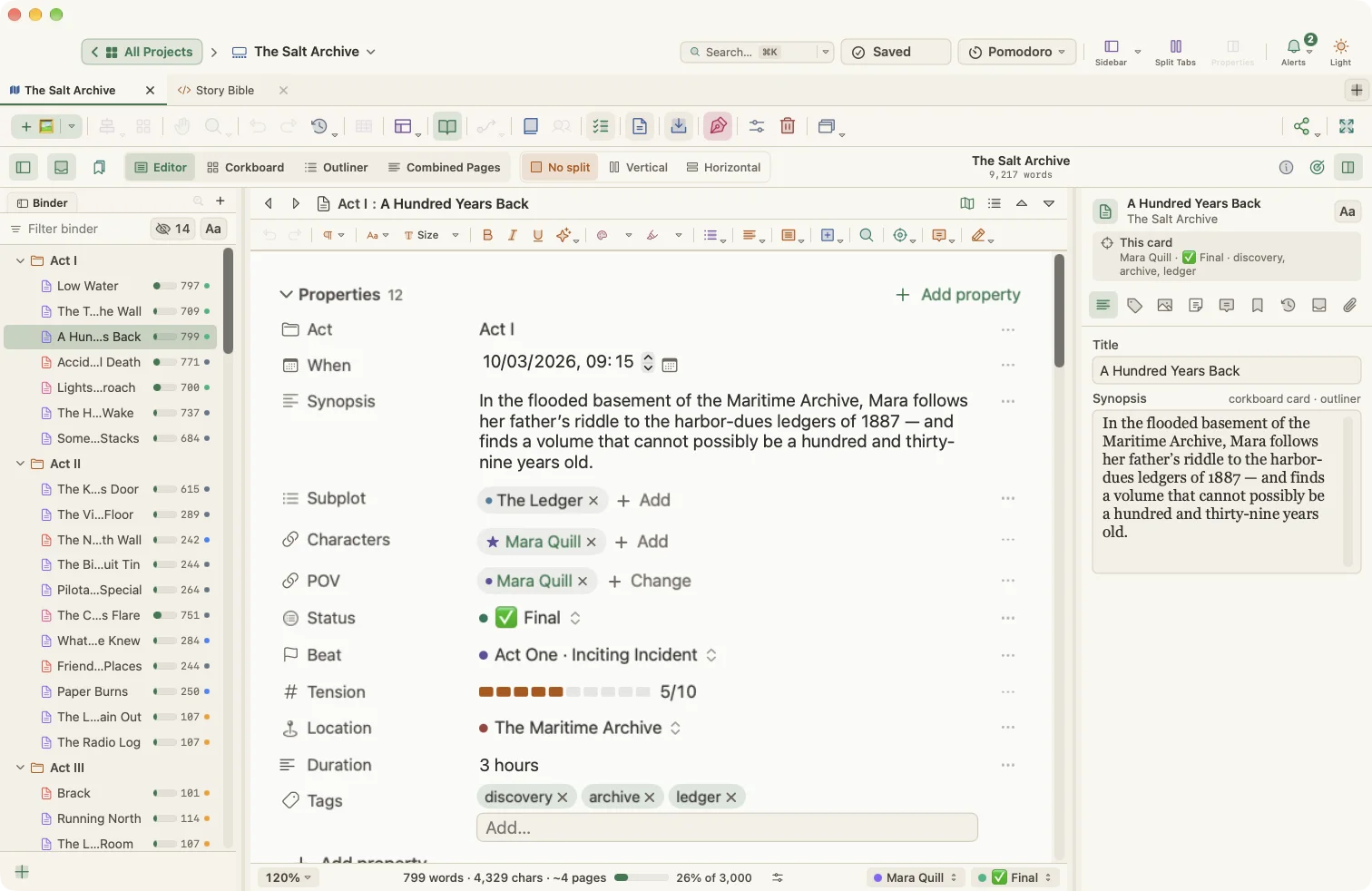
Visual Planner (canvas)
- Infinite canvas of cards you can arrange freely
- Built-in card types: Section, Group, Note, Draft, Research, Reference, Introduction, Conclusion, Abstract, Appendix, Character, Location, Storyboard, Folder, Sticky Note, Image, Embed, HTML and Task
- Custom card types with their own emoji or icon, colors, fields and property template
- Card type sets for novels, scripts, academic writing, students, lesson plans, non-fiction, business reports and poetry
- Card type picker on ⌘N with type-to-filter, and ⌃1–⌃9 for your nine most-used types
- Card templates: save any card as a template and reuse it
- Media cards for images, web pages, YouTube and video files, PDFs and live HTML
- HTML cards with a code editor and live preview
- Folders and nesting, with collapsible branches
- Connections between cards, with labels and reversible direction
- Line routing: curved, straight or right-angle
- A library of line styles: color, solid/dashed/dotted, width, arrowheads, labels and icons
- Relationship types such as Depends On, Blocks, Related To, References, Extends and Conflicts With
- Narrative relations between scenes: Cause & Effect, Foreshadowing, Callback, Parallel Events and Character Arc
- Automatic layouts: Tree (four directions), Free Form, Horizontal, Vertical, Grid, Radial, Timeline and Mind Map
- Saved layouts you can restore
- Layout of a card's children only
- Align left, center, right, top, middle and bottom; distribute horizontally and vertically
- Grid snap with adjustable grid size; adjustable canvas size
- Canvas backgrounds: theme, color, gradient, grid, dots or image
- Zoom to fit, zoom to selection, pinch zoom, Space-drag and middle-button panning, hand tool
- Multi-select, duplicate, duplicate with links, cut, copy and paste cards
- Outline panel with a tree of all cards, level filters, property filters and keyboard reordering
- Card preview windows
- Export the board as PNG, JPG, PDF or JSON
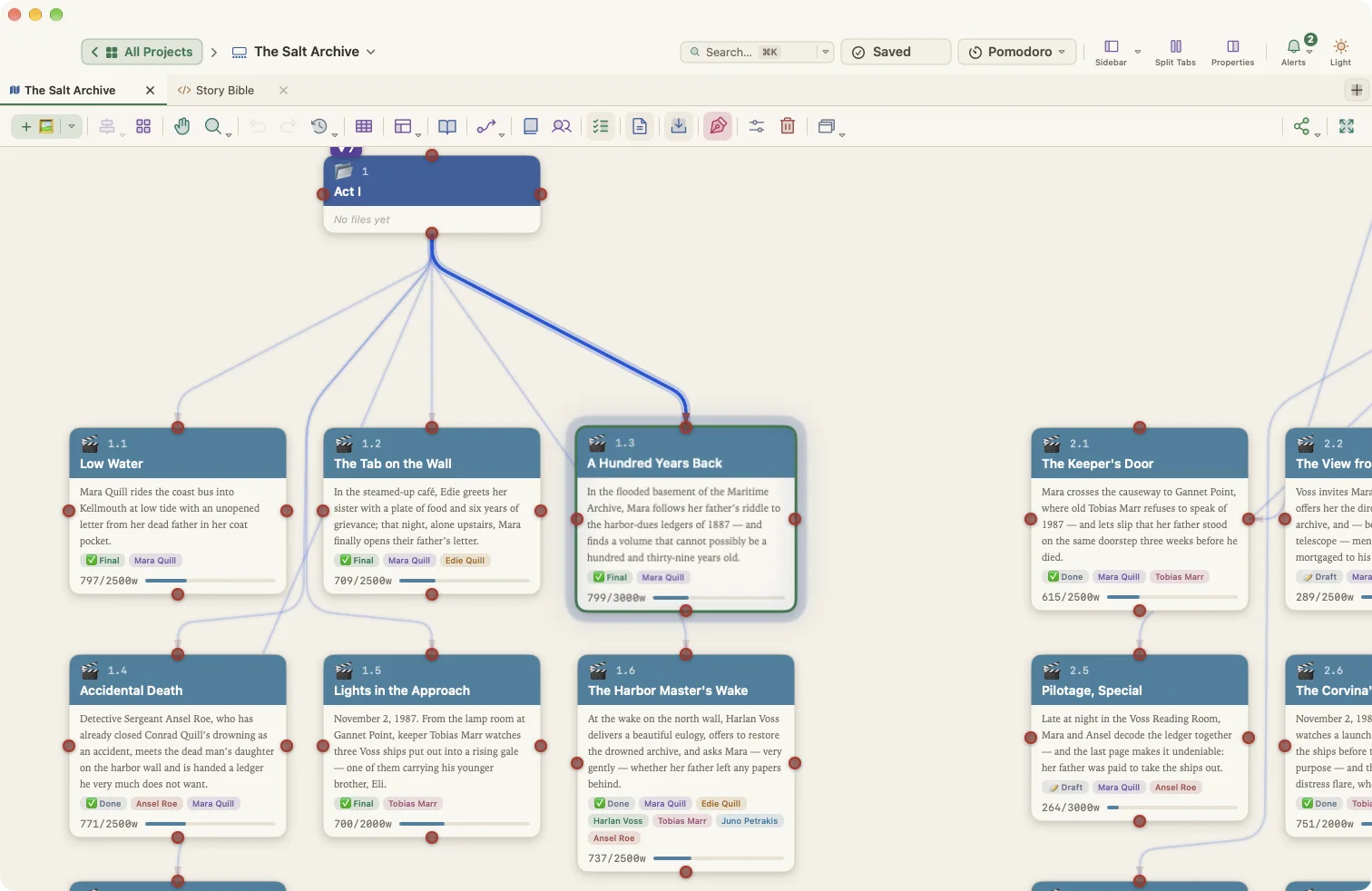
Properties and metadata
- Typed properties: Text, Long text, Number, Date, Date & time, Checkbox, Select, Multi-select, Link to cards and List
- Obsidian-style property block above the text in the editor
- Properties panel with sections for general info, status and tags, appearance, targets, progress, word stats, media, manuscript and connections
- Properties scoped to all cards, one card type or a single card
- Up to four properties shown on the card face
- Safe type changes with conversion and mismatch warnings
- Rename or delete a property everywhere in one step
- 34 starter property sets across academic, student, teaching, non-fiction, work, creative and personal writing
- Convert a planner to another kind of writing in one step
- Save and reuse your own property sets
- Bulk editing of many cards at once in one undoable step
- Status, labels, keywords (tags) and colors
- Story categories such as factions, themes, objects or moods, with profile cards
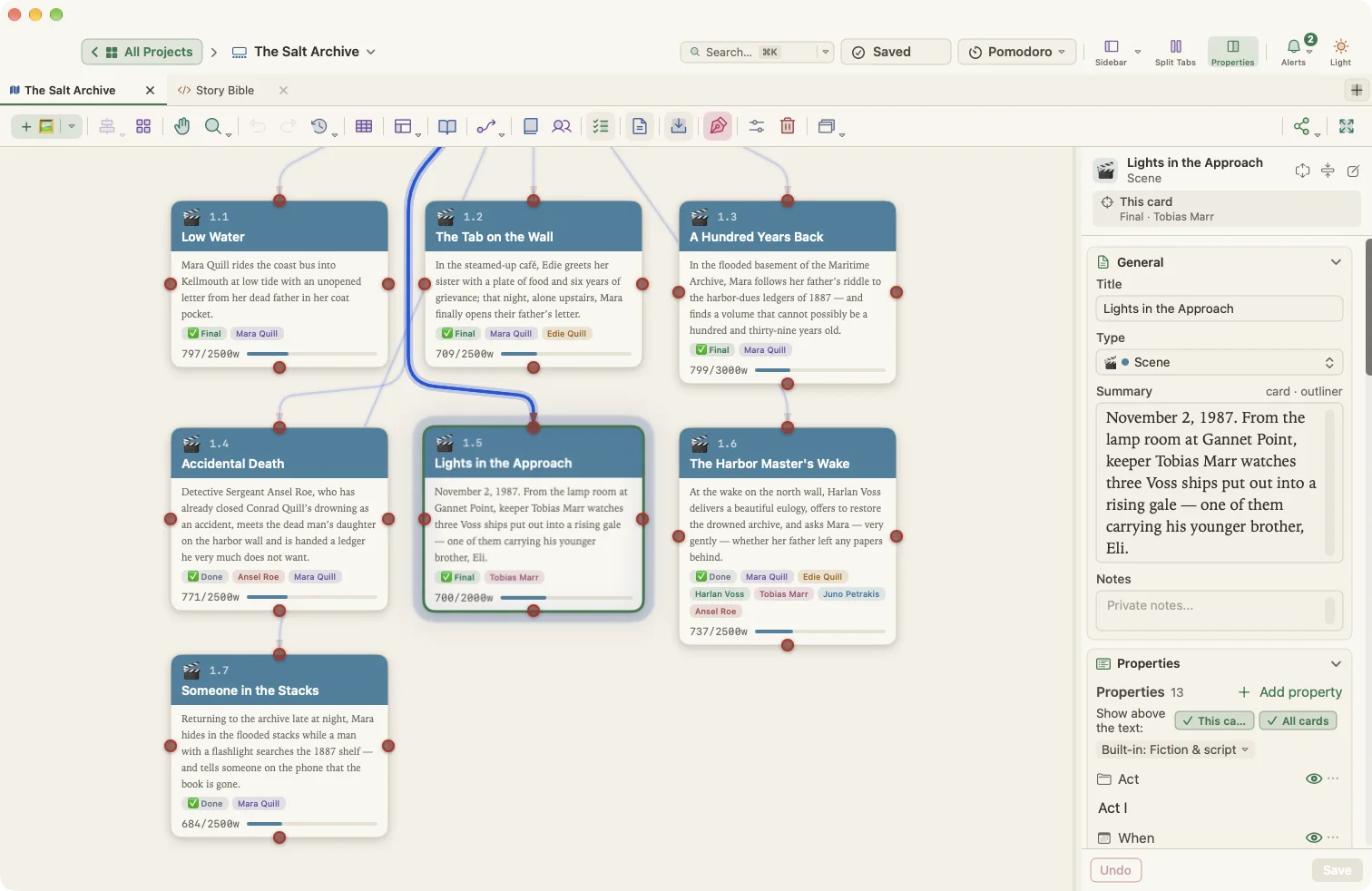
Manuscript Mode
- Binder with folders and documents in book order
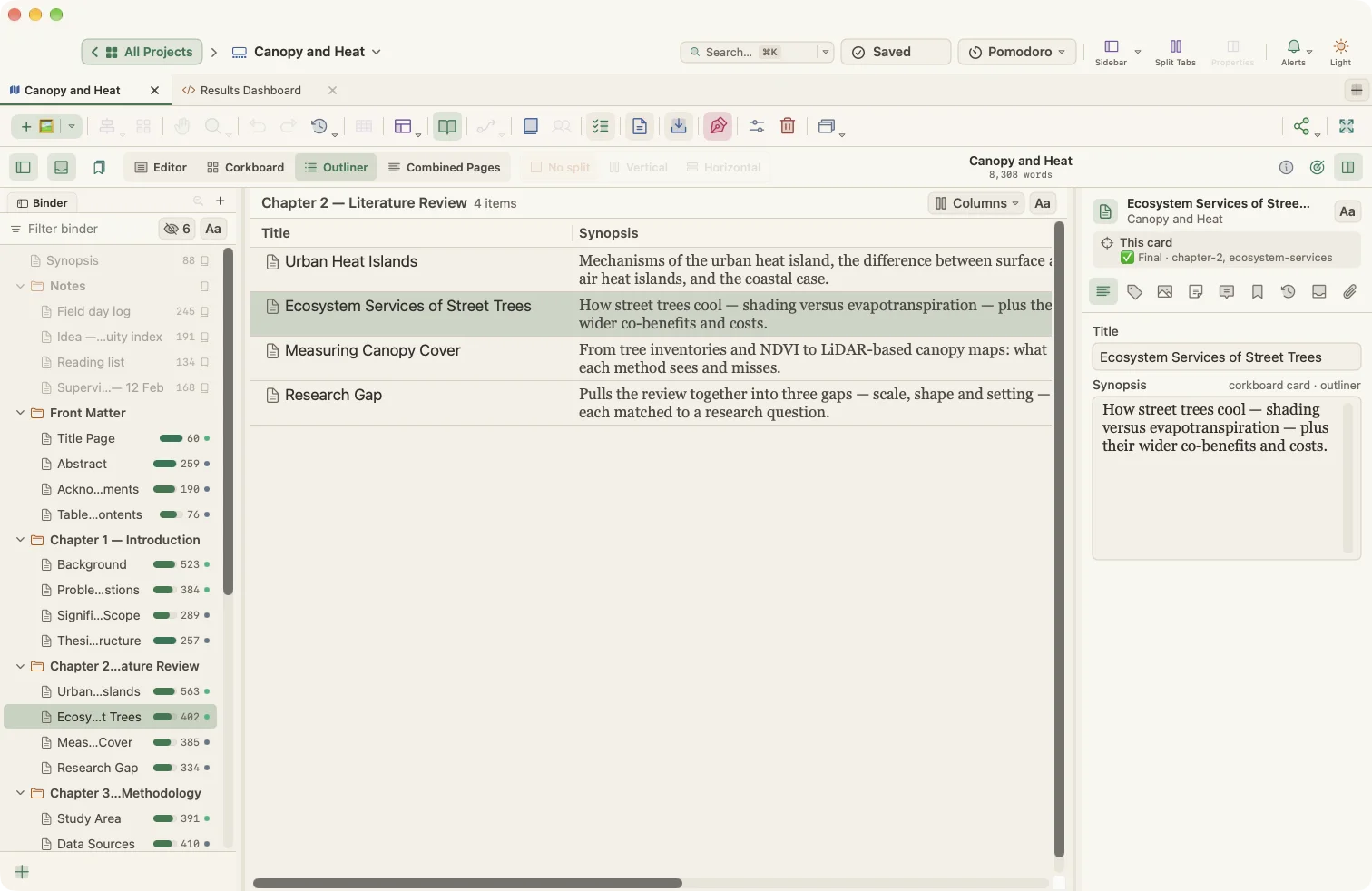
- Editor, Corkboard, Outliner and Combined Pages views
- Split editor, vertically or horizontally, with independent panes
- Inspector tabs: Synopsis, Metadata, Media, Files, Notes, Comments, Bookmarks, Snapshots and Collections
- Corkboard options: label colors, status stamps, keyword colors, card numbers, ghosts for blank cards, card size and columns
- Outliner with selectable columns, including custom properties, word counts, targets and progress
- Collections, including saved searches that stay up to date
- Bookmarks panel and project favorites
- Split, merge, group, ungroup, move and convert documents
- Include or exclude any document from compile
- Append selected text to another document
- Sort a folder alphabetically
- Quick Reference preview windows
- Project targets with deadline, writing days and automatic session targets
- Text statistics: words, characters, paragraphs, sentences, pages and reading time
- Project keywords overview
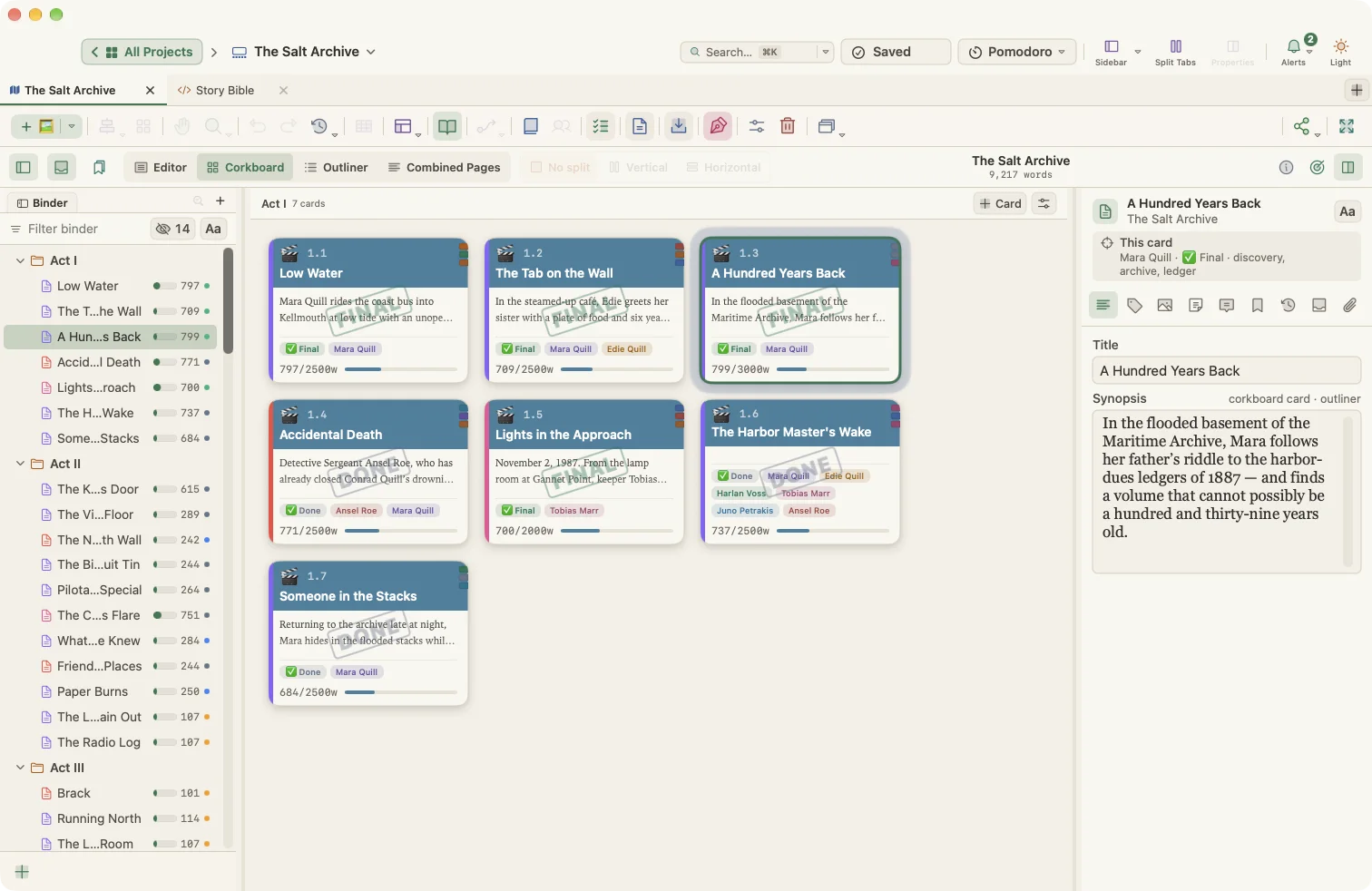
Editor
- Native rich text editor shared by cards and manuscript documents
- Format bar with popovers for styles, fonts, sizes, colors and lists
- Bold, italic, underline, strikethrough, superscript, subscript and inline code
- Paragraph styles: Paragraph, Heading 1–3, Block Quote and Code Block
- Your own paragraph and character styles
- Bulleted, numbered and task lists
- Tables with row and column editing and header rows
- Embedded and linked images
- Links to web pages, files, cards and documents
- Comments, footnotes and inline footnotes
- Comments in the margin and footnotes at the bottom of the page
- Page view with office and book trim sizes, plus custom sizes
- Ruler with tabs and indents
- Typewriter scrolling
- Focus mode for the current line, sentence or paragraph
- Line numbers
- Drop cap
- Manuscript format (Courier, double-spaced)
- Show invisibles
- On-screen text zoom
- Find and replace with match case, whole word, regular expressions and project-wide scope
- macOS spelling and grammar, substitutions and text replacement
- Case transformations and text tidying (double spaces, quotes, ellipses, em dashes)
- Copy as HTML, Markdown or plain text
- Text-to-speech
- Insert date, date and time, and media timestamps
- Citations from a bibliography manager
- Export or print a single text as PDF, Word, HTML, Markdown or plain text
Composition Mode
- Full-screen distraction-free writing
- Adjustable paper width, position and text scale
- Paper and text colors, background images and see-through paper
- Page view, manuscript format, focus, typewriter scrolling and invisibles
- Comments, footnotes and printing without leaving the page
- Floating synopsis, notes and keywords panel
- Jump to another document
- Daily word count with a daily target
- Pomodoro control
- Auto-hiding bar
Revisions and history
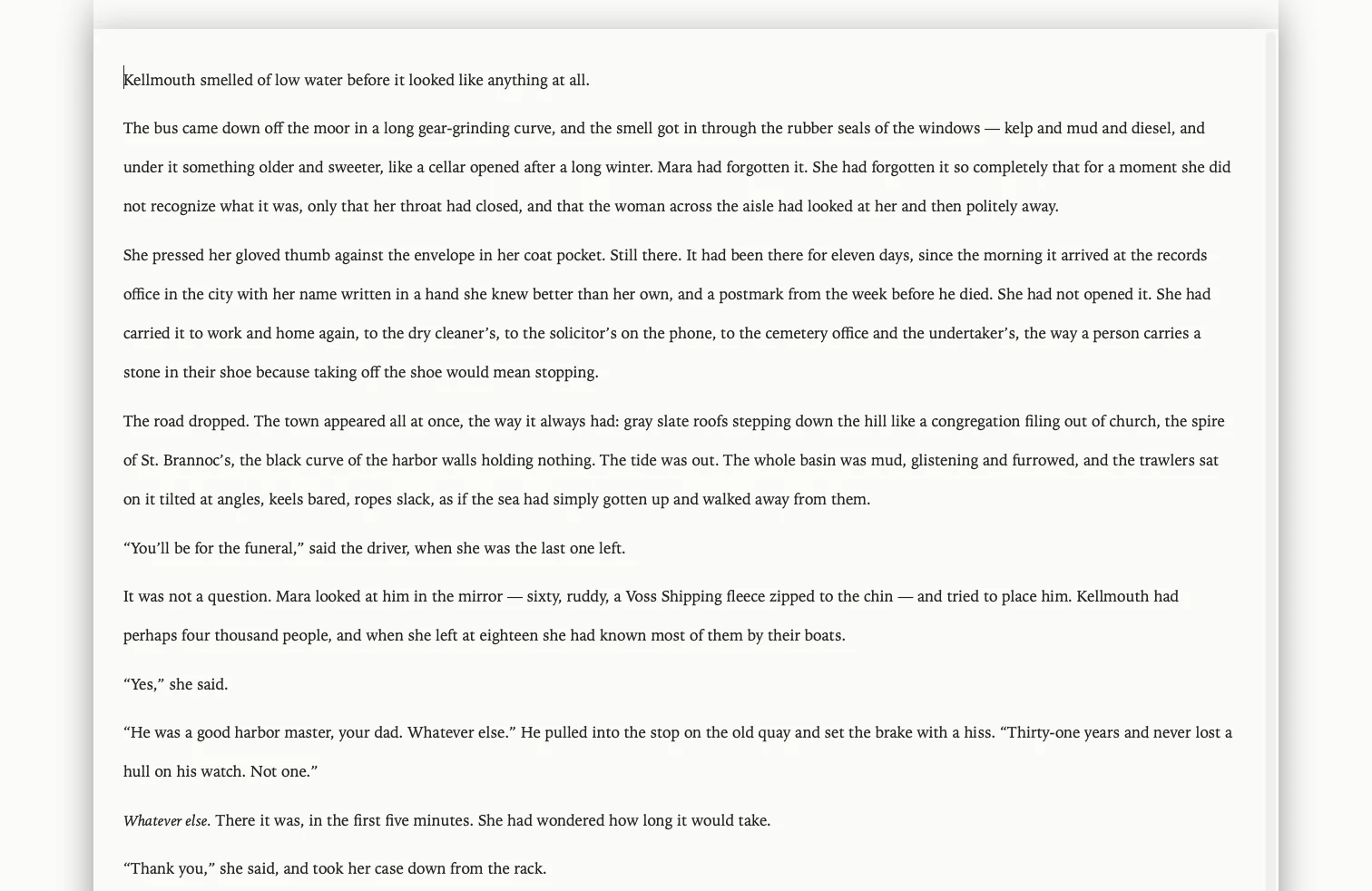
- Revision Mode with five colored revision levels
- Mark deletions as struck-through text
- Show all revisions, one level or none; remove markings selectively
- Version history for every card, with compare and restore
- Keep only the 5 or 10 most recent versions
- Snapshots on demand, with titles, compare and restore
- Automatic per-card snapshots on a daily, weekly or monthly schedule
- Revert History for the whole planner
- Undo and redo everywhere
Writer Timeline
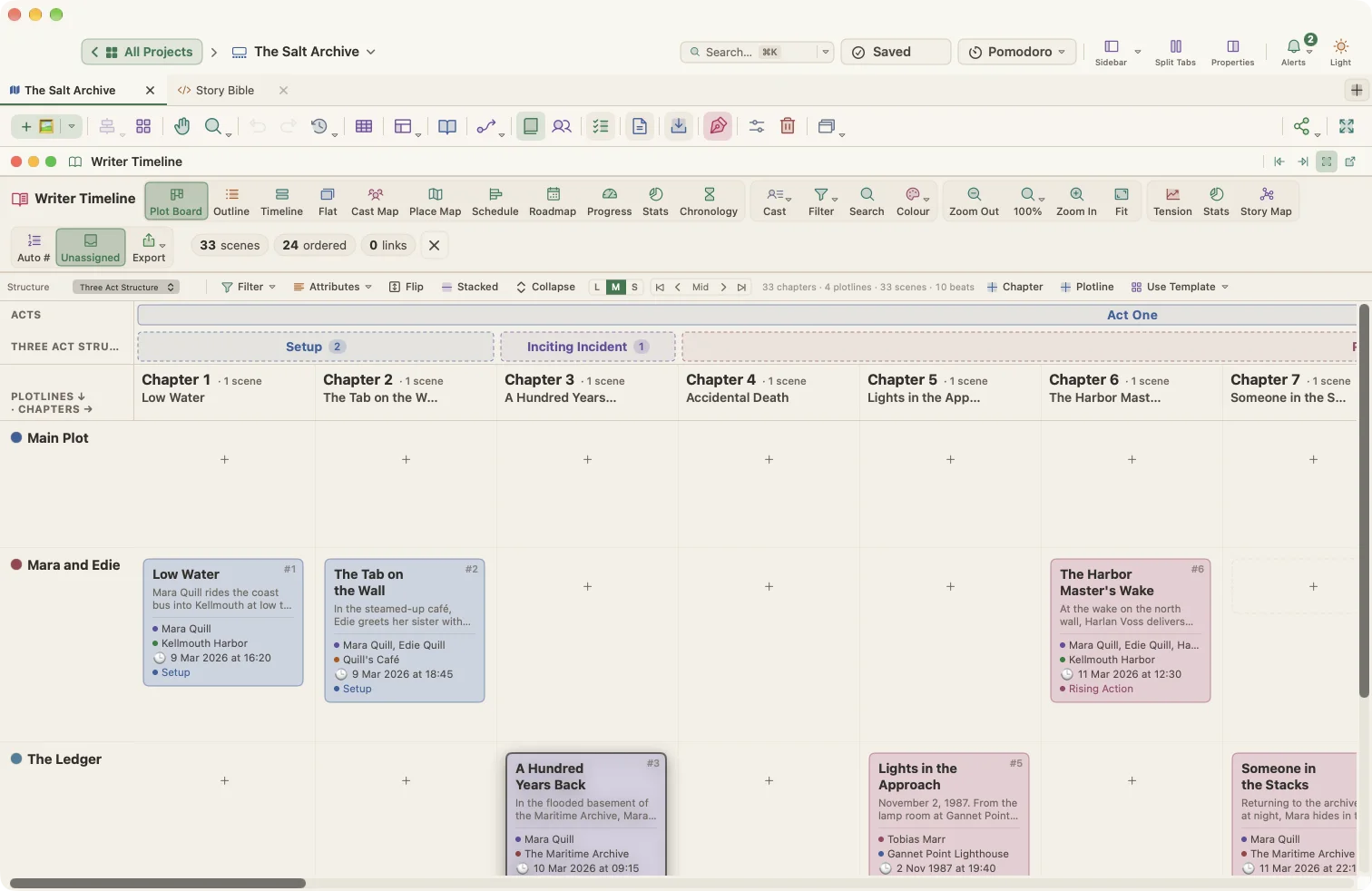
- Plot Board: chapters × plotlines, with beats and acts
- Outline: chapters and scene summaries as prose
- Timeline: lanes per plotline or place, by narrative order, story time or structure
- Flat: every scene in one grid
- Cast Map and Place Map
- Four story structures: Three Act Structure, Hero's Journey, Save the Cat and Freytag Pyramid
- Switching structures redistributes scenes and remembers earlier assignments
- Beat templates that add beat cards to the canvas
- Subplot and location lanes
- Story dates as real dates, years or free text such as "Day 3"
- Time scales from hours to years, with gap detection
- Milestone markers
- Scene types, POV, places and eras
- Color scenes by type, POV, tension or beat
- Search, filter and automatic scene numbering
- Tension curve with drag-to-edit points, beat markers, act bands, average line and an ideal-shape overlay
- Book Stats with "needs attention" lists for missing beats, dates, characters, places, tension and summaries
- Story Map: the whole book on one screen with beat coverage and drag-and-drop assignment
- Dockable, floating or minimized panels
- Export any view as PNG or PDF
Project timelines for non-fiction and academic work
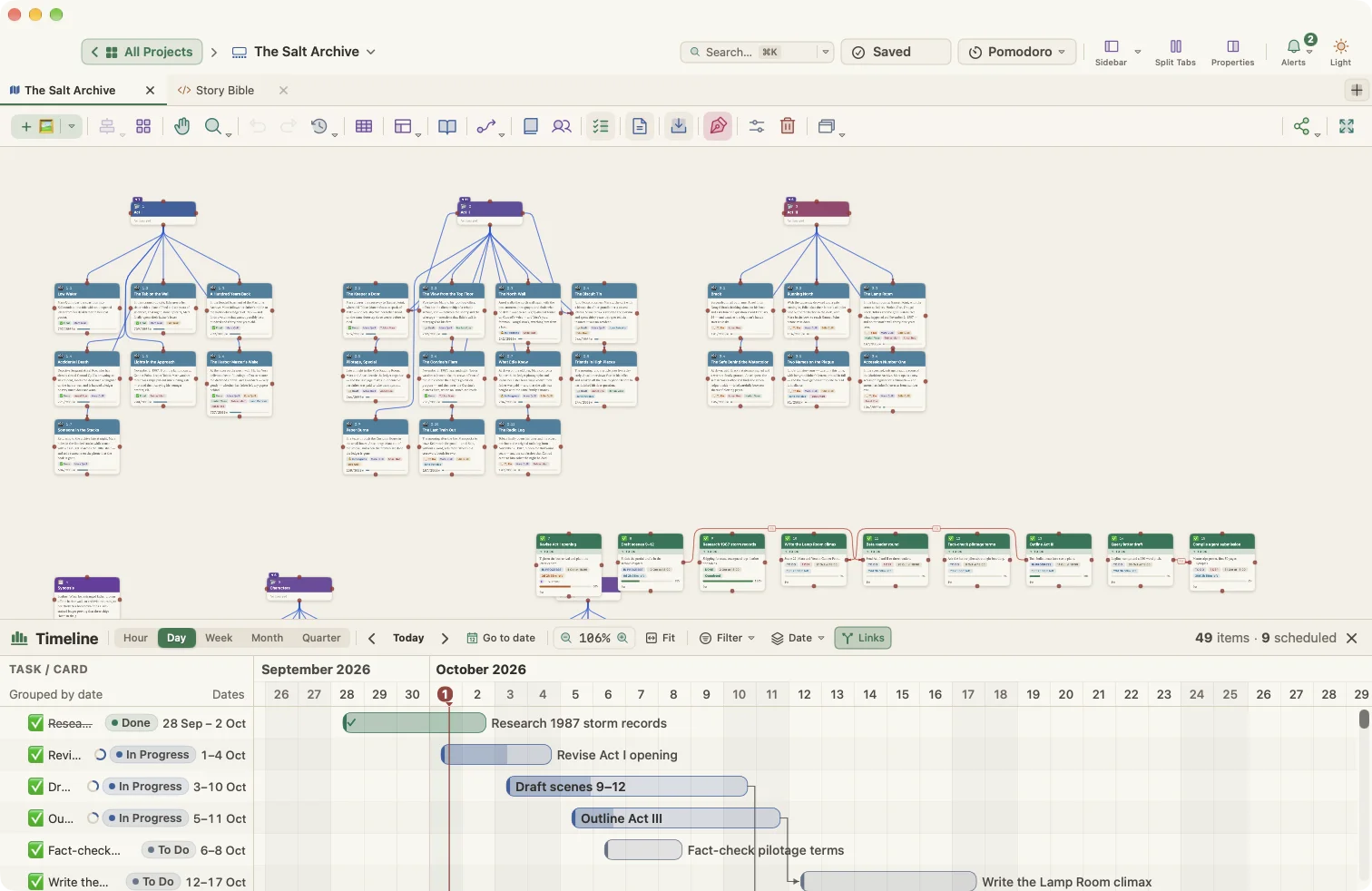
- Schedule (Gantt) view of sections and tasks
- Roadmap on a calendar with milestones, and automatic chapter planning between two dates
- Progress against word targets and status
- Project Stats with what needs attention
- Chronology of dated cards by year and month
- Study Planner for student projects
Tasks and productivity
- Tasks on cards, linked to chapters and scenes or independent
- Task types: To Do, Task, Research, Review, Edit, Deadline, Milestone and Reminder
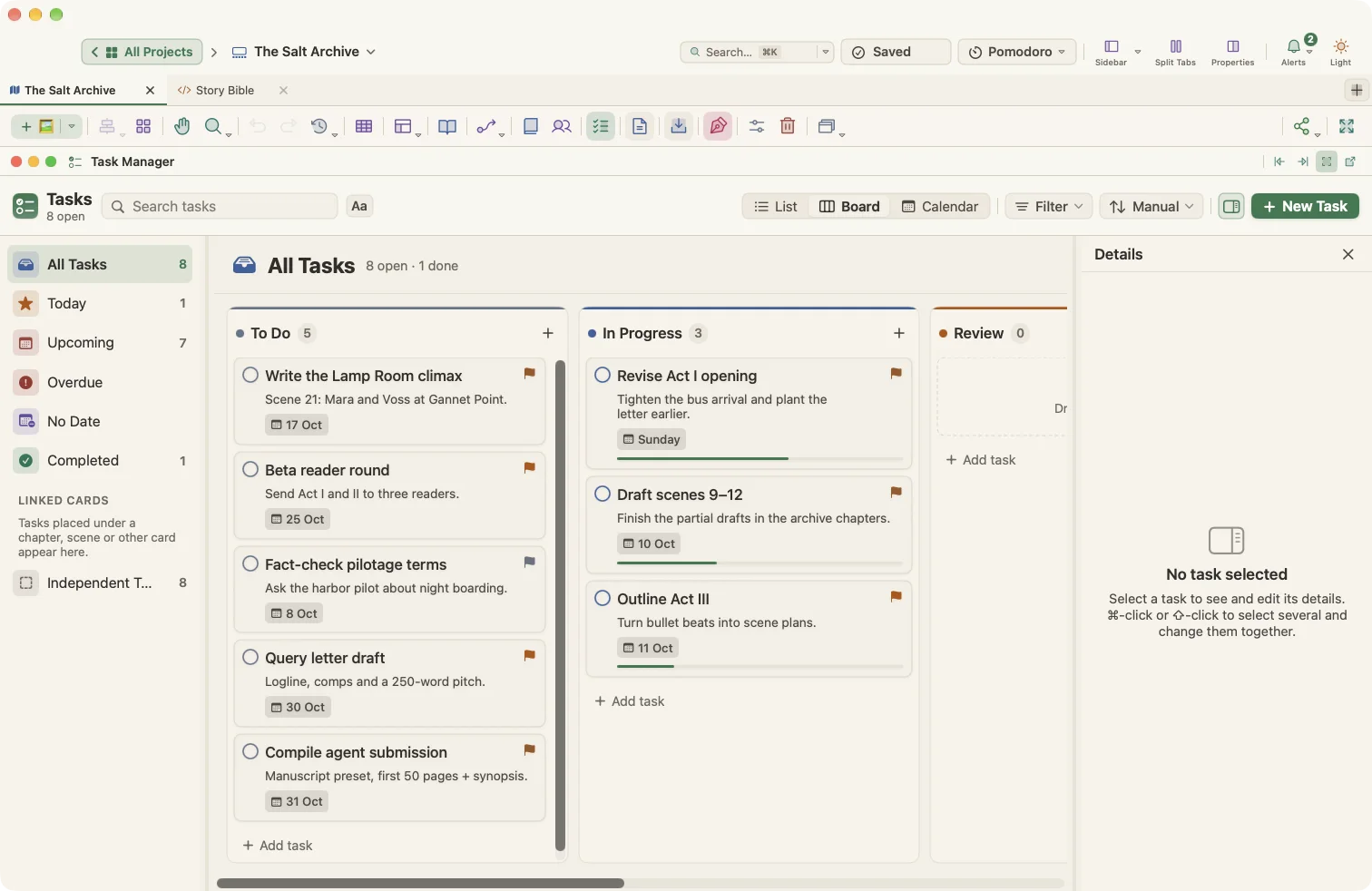
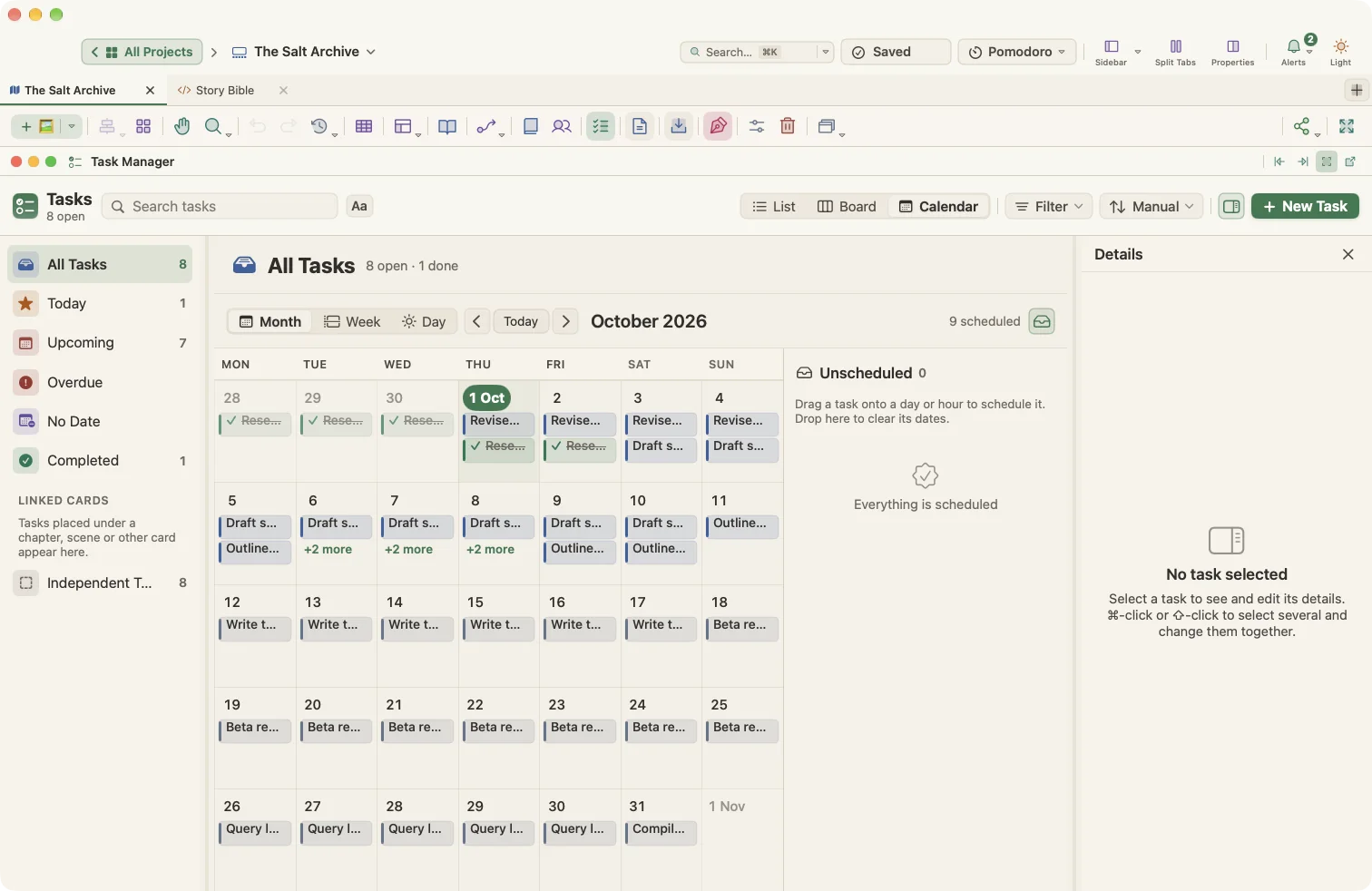
- Task Manager with List, Board (kanban) and Calendar (month, week, day) views
- Smart lists: All Tasks, Today, Upcoming, Overdue, No Date and Completed
- Subtasks up to four levels deep
- Status, priority, start, due, length, notes and assignee
- Custom statuses, priorities and task types
- Search, filter, sort and group tasks; bulk changes
- Dependencies (finish-to-start, start-to-start, finish-to-finish, start-to-finish) with lag and automatic rescheduling
- Gantt chart with hour, day, week, month and quarter scales
- Alerts for overdue, due-soon, unscheduled and blocked tasks
- Local reminders as macOS notifications
- Pomodoro timer with focus, short and long breaks, auto-start and session counts
- Word targets per card and per project, with deadlines and writing days
- Daily word goal, weekly totals and writing streaks on the Home screen
- Active writing time tracking on your Mac
- Quick Notes: a floating notepad across all projects
Compile Studio
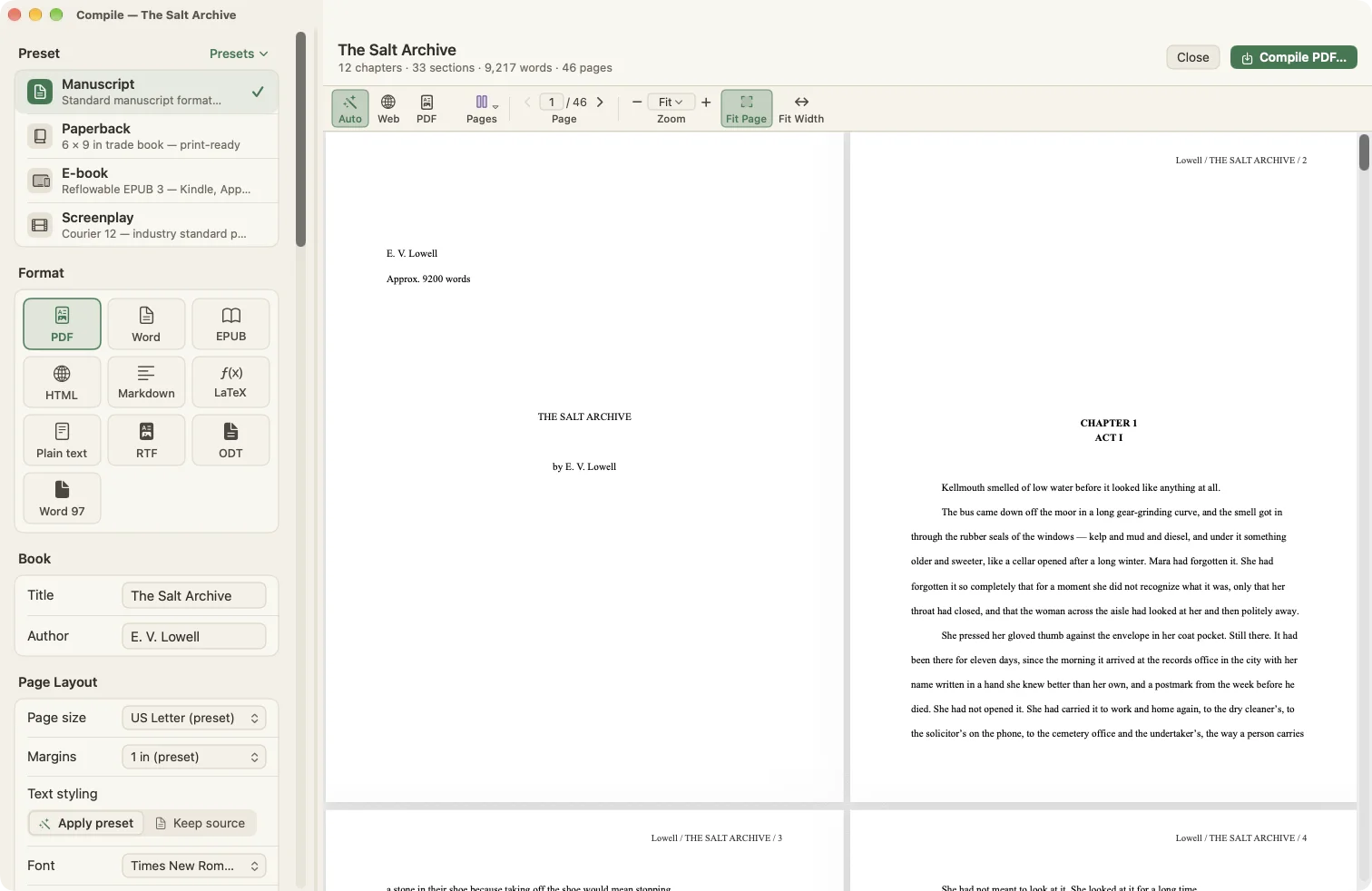
- Presets: Manuscript, Paperback, E-book and Screenplay
- Save, import and export your own presets
- Formats: PDF, Word (DOCX), EPUB 3, HTML, Markdown, LaTeX, plain text, RTF, OpenOffice (ODT) and Word 97–2004 (.doc)
- Page sizes from US Letter and A4 to book trim sizes, plus custom sizes
- Margins, font, size, alignment and line spacing, or keep the editor's formatting
- Section layouts for chapters and sections, page breaks, numbering and scene separators
- Title page, table of contents (HTML and EPUB), synopsis, notes and comments
- Line numbers in PDF and Word
- Real footnotes in PDF, Word, EPUB, HTML, Markdown and LaTeX
- Images in the text and optional card images
- Chapter title patterns with placeholders for number, Roman numeral, words, title and more
- Front matter, back matter, copyright page and dedication
- Document metadata
- Compile-only find-and-replace rules
- Compile the whole book, a selection, a folder or a collection
- Live preview with page, continuous and two-page modes
Projects and data
- Projects as single .wmorph files
- Library on your Mac, in iCloud Drive or in any folder
- Automatic saving
- Automatic, compressed, dated backups with a configurable number kept
- Back up on demand to any location
- Four levels of trash with restore
- iCloud Drive library sync with status and conflict resolution
- Sync text documents with an external folder as plain text files
- Home screen with search across all projects, recent documents, favorites, archive and writing stats
- Multiple tabs per project: planners, manuscripts, notes, rich text documents, Markdown, HTML pages, PDFs, images and web links
- Split view for two tabs side by side
- Saved window layouts
- Save any project as a template
Import and export
- Import Word, OpenDocument and RTF into the book, split at headings or one document per file
- Import Scrivener projects (.scriv)
- Import text, Markdown, HTML and RTF files as tabs
- Import research files, web pages, PDFs and images
- Import Obsidian vaults with full frontmatter mapping, and update a project from a vault by ID
- Export to an Obsidian vault and back without losing data
- Export the manuscript as RTF, the planner as JSON, and the canvas as PNG or PDF
Customization
- Twelve built-in themes, most in light and dark versions
- Theme Designer for a custom color theme
- Match macOS appearance or toggle light and dark instantly
- Adjustable interface and panel text sizes
- Customizable toolbars with icon and text, icon-only or text-only styles
- Monochrome or colored icons
- Line, Lucide and Phosphor icon sets, emoji, SF Symbols and your own icons for card types
- Configurable mouse wheel, trackpad and canvas-drag behavior
- Settings presets and themes you can save, load and share as files
Optional: AI connections
- Off by default, and nothing runs while WriterMorph is closed
- A local-only connection from Claude Code or Codex on your Mac, protected by a private key
- Read-only until you turn on Allow changes
- Allow deleting is a separate switch, and deleted cards and tabs go to the Trash
- Draft cards for you: acts, scenes, chapters, characters, places and research notes, nested and connected on the canvas
- Fill in card properties: point of view, characters, beat, tension, place, story date and time, status, tags and word targets
- Write or revise card text, synopses and notes, and reorganize the binder
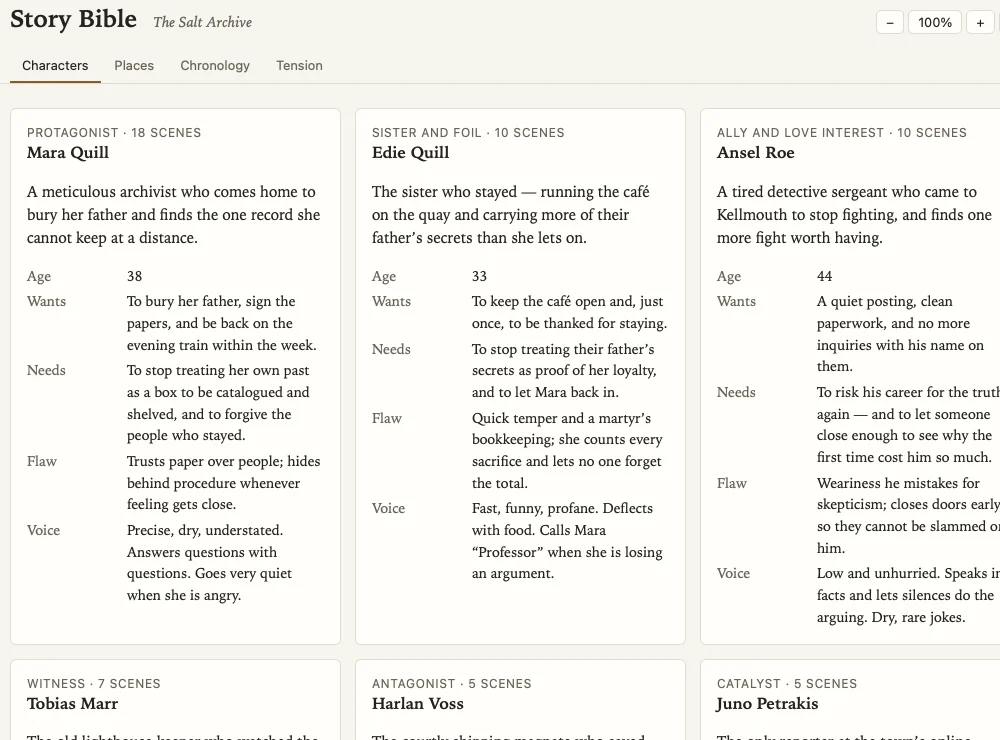
- Create HTML pages as tabs inside the project, such as story bibles, pitch pages, study guides and dashboards
- Read the whole book and compile it
- Undo any change with ⌘Z, and review what the assistant did in Recent activity

Your next book starts here
Try every feature free for 30 days. Your files stay yours whatever you decide.