 WriterMorph
AI connections, on your terms
WriterMorph has no AI inside. If you use Claude Code or Codex, here is exactly what they can and can’t do with your project, and how to switch it all off.
WriterMorph has no AI built in. It doesn’t suggest sentences or summarize your chapters, and it never sends your writing anywhere.
Some writers do use an AI assistant such as Claude Code or Codex on their Mac, and want help with the scaffolding: setting up chapters, filling in character sheets, building a reference page. For them there is Settings › AI Connections. This is how it works.
Off until you turn it on
The connection does nothing until you switch it on, and nothing runs while WriterMorph is closed.
Your Mac only
The connection accepts requests only from your own Mac, and it needs a private key. Create a new key and the old one stops working.
Read-only to start
At first an assistant can only read the open project. To let it add and edit cards and tabs, turn on Allow changes. Allow deleting is a separate switch, and anything deleted goes to the Trash.
Everything can be undone
Undo any change with ⌘Z, and check Recent activity for a list of what the assistant did.
What it’s good for
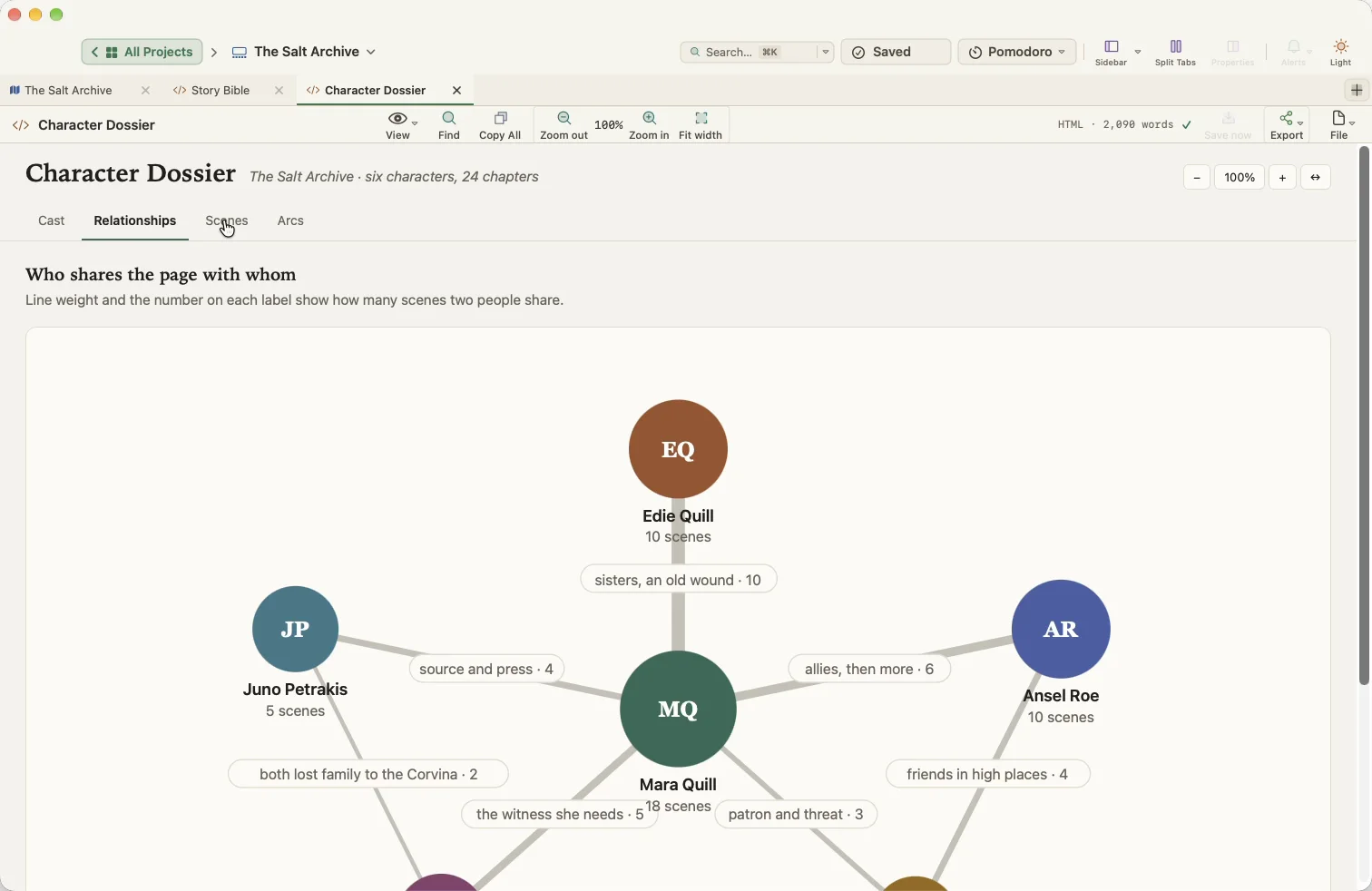
In the sample projects, an assistant drafted cards for acts, scenes and characters, filled in their properties, and built pages inside the project: a story bible, a character dossier with a relationship map, a literature map for a thesis and a study guide. The case studies show them step by step.
What WriterMorph sends
Nothing. What your assistant sends to its own service is covered by that provider’s policy, so read it before you connect. The details are in the help article and our privacy policy.