 WriterMorph
Planning a novel on one canvas
How The Salt Archive, our sample mystery, is put together, from scene cards to beats, story time and a compiled draft, and what each view is for.
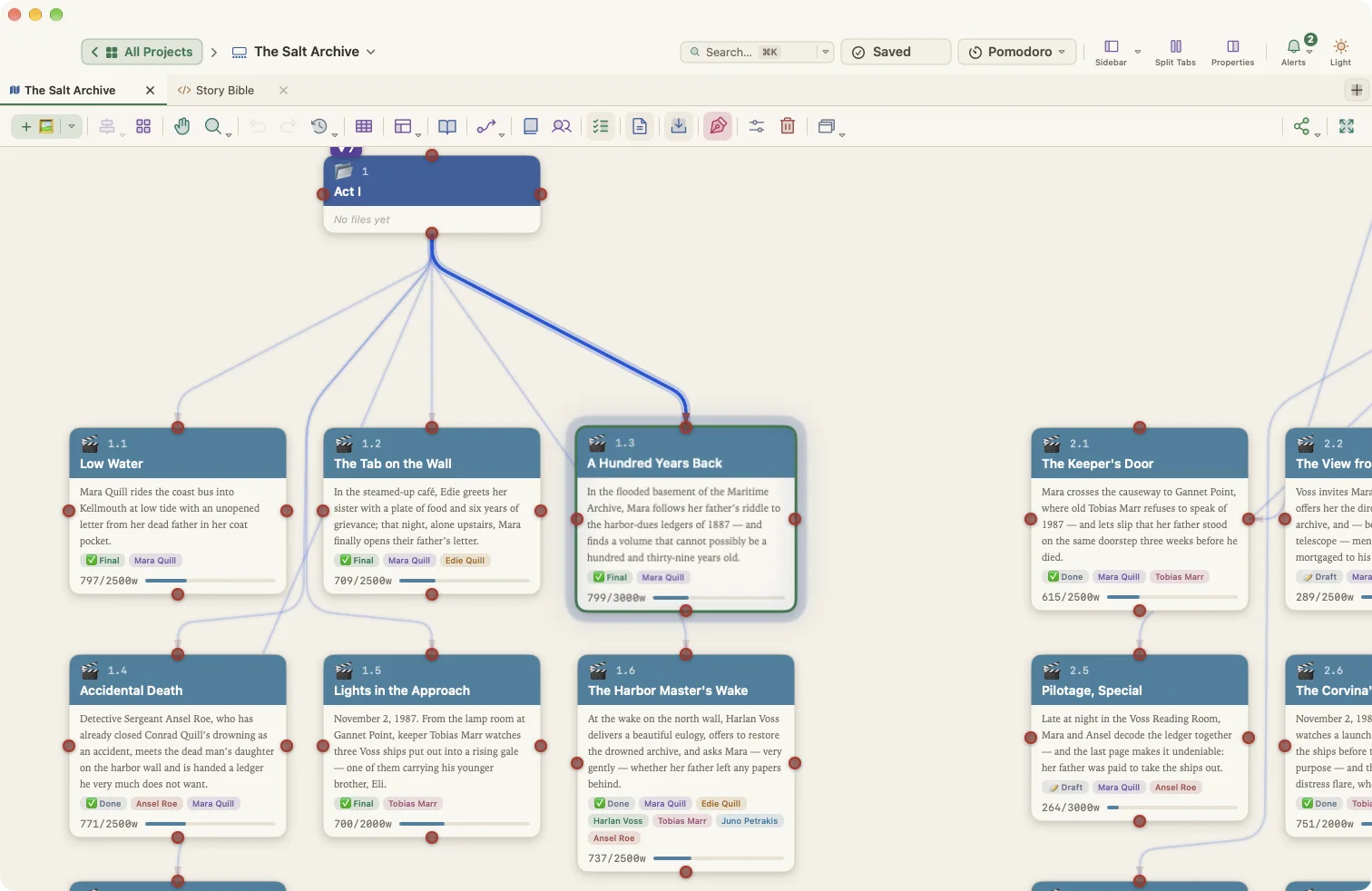
The Salt Archive is one of the sample projects you can download: a mystery in 24 scenes, set in a North Sea harbor town. Here is how it is put together, and how you could plan your own book the same way.
Start from a structure
The project began from the Novel: Three Act template, which sets up the acts and the ten Three-Act beats. Every scene is a card on the canvas, inside its act. A card holds a synopsis and the scene’s properties: point of view, characters, place, beat, tension, status and a word target.
Check the shape on the Plot Board
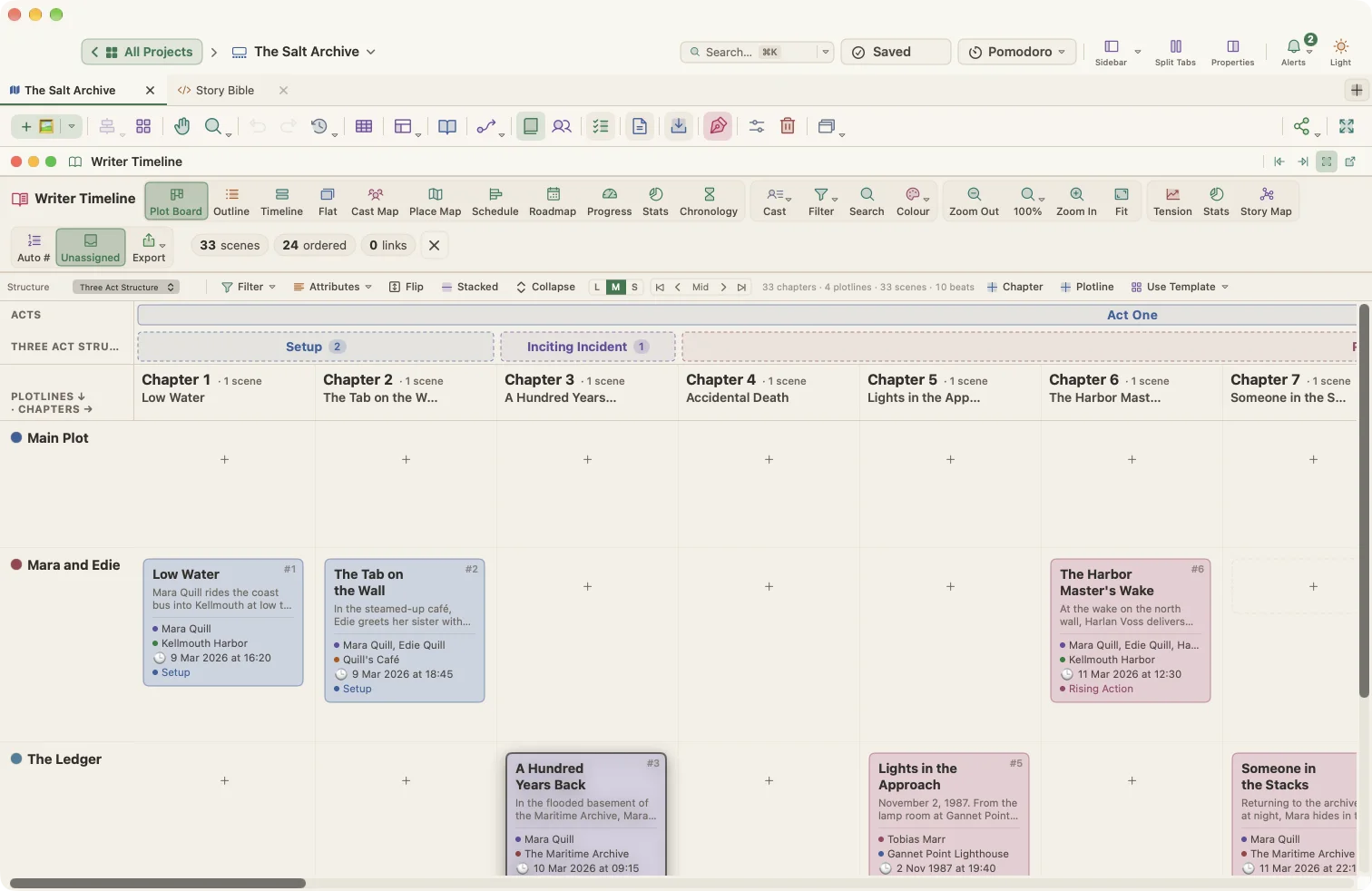
The Plot Board in the Writer Timeline lays the scenes out against the beats. Gaps show at a glance: a midpoint with no scene, or three scenes crowded into the inciting incident.
Keep story time straight
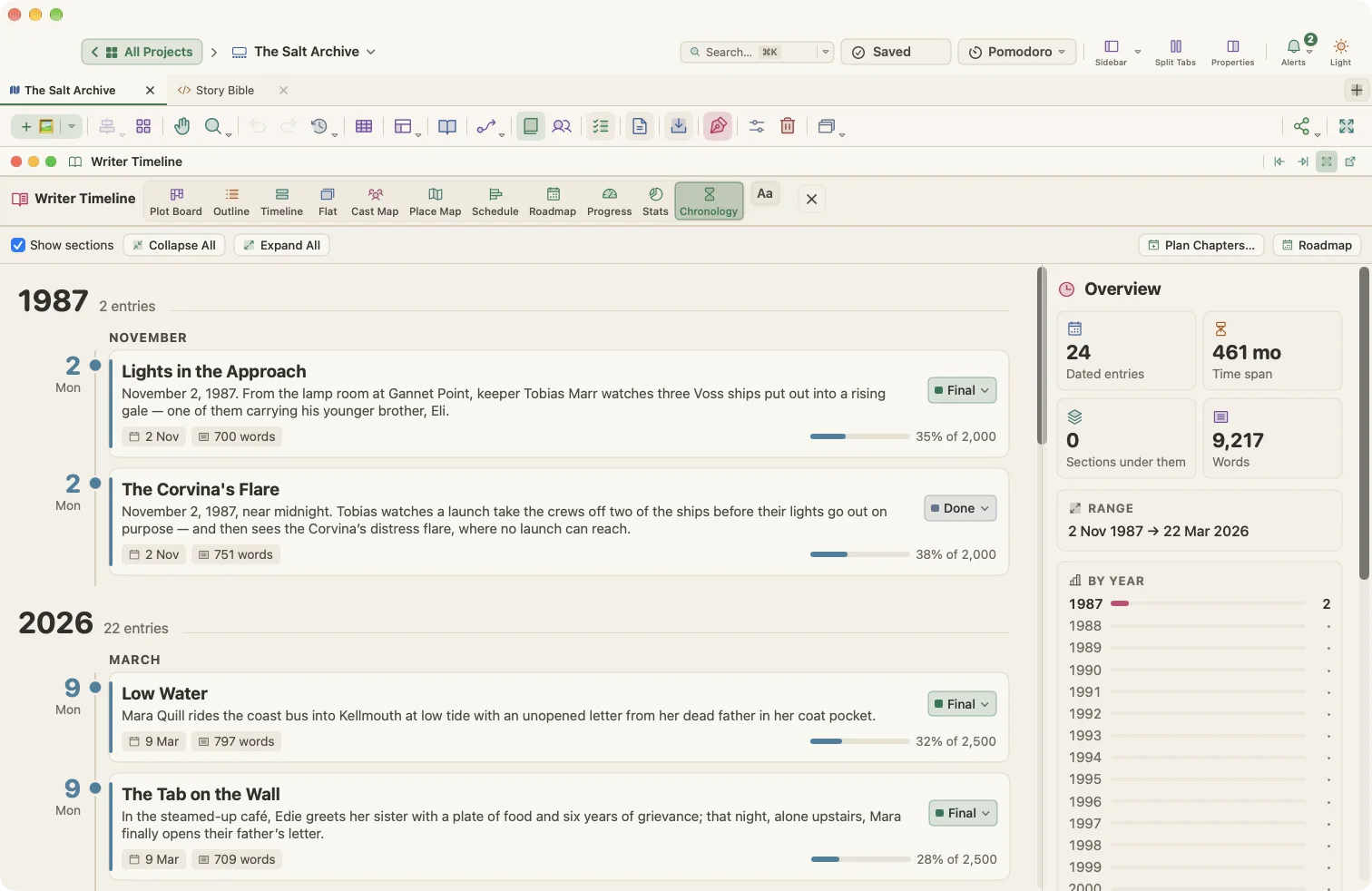
The story covers two weeks in March, with two flashbacks to the storm night of 1987. Each scene has a story date and time, so the Chronology view can sort scenes in story order while the manuscript keeps reading order. When a flashback lands on the wrong day, you see it.
See who carries the book
The Cast Map shows which characters appear in which chapters. If someone important vanishes for a whole act, their row shows the gap.
Then write, and compile
Each scene in the manuscript is linked to its card, and Show on Canvas takes you straight back to it. The corkboard and outliner show the same scenes as index cards and as a table, with their synopses and word counts.
When a draft is ready, Compile Studio turns it into a standard manuscript for agents, a 6 × 9 paperback, an EPUB or a screenplay. You can see a real page of each on Styles & themes.
Want to look inside? Download The Salt Archive and open it in WriterMorph.