 WriterMorph
Help › Projects & Data
All help topics
Live Pages (Labs preview)
HTML pages that work like small apps in your project. They keep their own data, read your cards and change them only after you allow it.
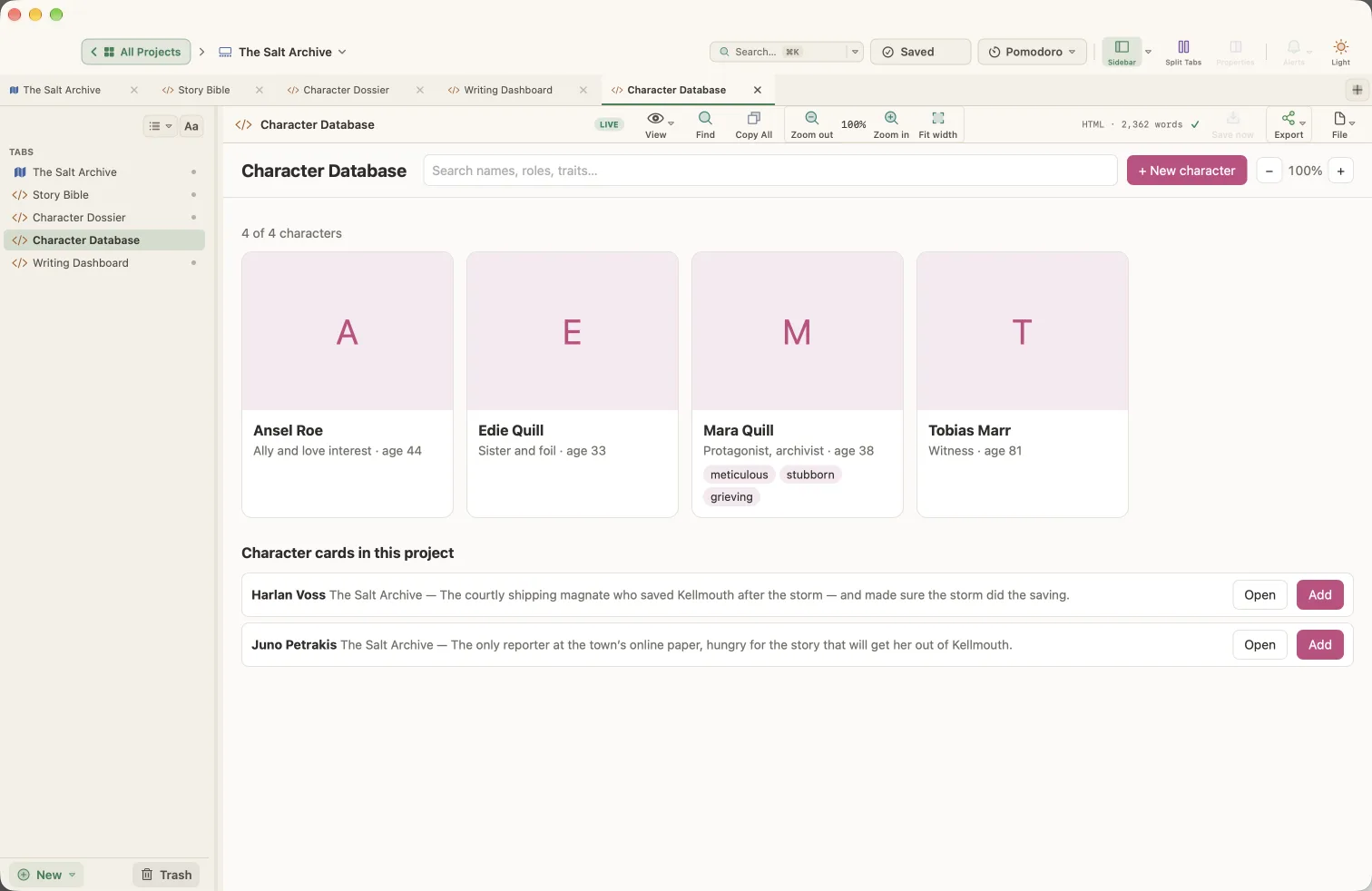
A Live Page is an HTML tab that works like a small app inside your project. In WriterMorph 1.0, Live Pages are a preview: they stay off until you turn them on.
Turn them on
Open Settings › Labs and turn on Turn HTML pages into small apps (Live Pages).
Make a Live Page
- In the sidebar, choose New ▾ › Live Page ▸, then Blank Live Page, one of your own page templates, or an example under Examples ▸: Character Database or Writing Dashboard.
- Or open an HTML tab and choose File ▾ › Live Page.
A green LIVE badge in the tab's header shows that the page is live.
What a Live Page can do
- Keep its own data inside the project, so it travels with the project file.
- Keep files you pick and open them in their own app.
- Read your project: tabs, word counts and cards, including character and place profiles and card text, and open a card in the editor.
- Change and add cards, but only after you allow it.
Permission to change cards
The first time a page tries to change your cards, WriterMorph asks Allow this page to change your cards? Choose Allow or Don't Allow. You can change your answer later with the page's File ▾ › Allow Changes to Cards. Every change a page makes is one step you can undo with Edit › Undo in the planner.
Safety
- Live Pages have no internet access. A web link opens in your browser only after you confirm.
- An ordinary HTML page, one that isn't live, can't read your project at all.
The two examples
- Character Database lists the character cards in your project. Add brings a character into the page; name, role, age and description stay in sync with the linked card, and you can add traits, a photo, files and links. It also lists the scenes whose title or synopsis mentions the character’s full name.
- Writing Dashboard shows words today against a daily goal, your streak, the book's total against a target, an estimated finish date, the last 14 days and words per scene.
Templates and export
- File ▾ › Save as Page Template… saves the page's HTML and files, never its data, so you can start new pages from it.
- Export ▾ keeps the boxes you ticked, the text you typed and the choices you made on the page.
Pages built by an assistant
With AI Connections on, Claude Code or Codex can build a Live Page for you.