 WriterMorph
Help › Getting Started
All help topics
The Home screen
Writing stats, metric cards, Jump Back In and new projects, and how to choose which cards you see.
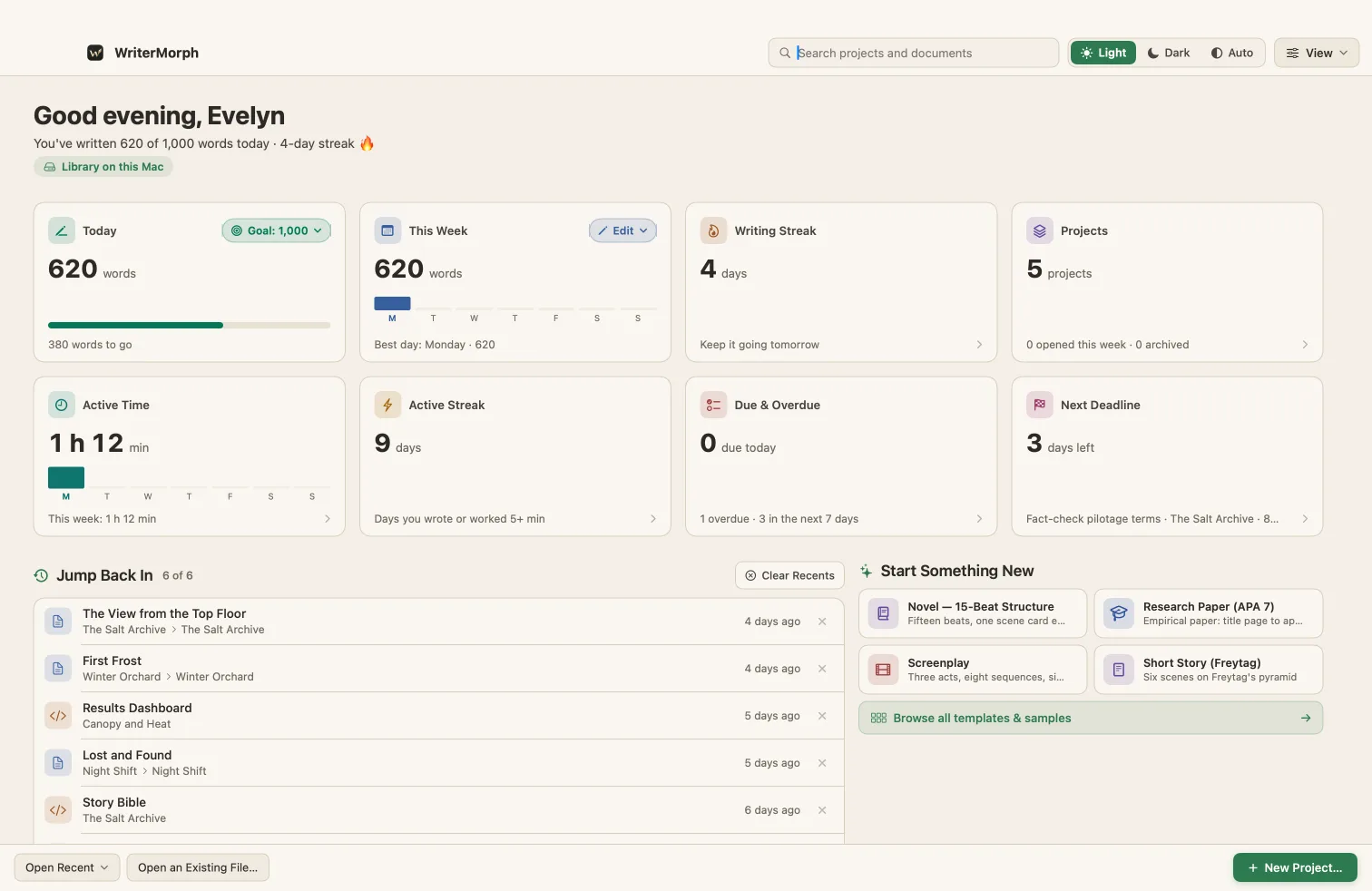
The Home screen shows all your projects and your writing at a glance. Inside a project, All Projects at the top left takes you back to it.
Writing stats
Four cards at the top show your writing:
| Card | What it shows |
|---|---|
| Today | Words written today against your daily goal. Click Goal to change it. |
| This Week | Words per day this week, with your best day |
| Writing Streak | Days in a row you have written |
| Projects | Your projects, how many you opened this week and how many are archived |
More metrics
Turn on more cards in Settings › General › Home Screen:
| Card | What it shows |
|---|---|
| Active Time | Time you worked in WriterMorph today and this week |
| Active Streak | Days in a row you wrote or worked for at least five minutes |
| Due & Overdue | Tasks due today, overdue and due in the next seven days, across all projects |
| Next Deadline | The nearest task deadline and its project |
| Done This Week | Tasks you completed this week, and how many are still open |
| Project Goal | One book's progress towards its target. Pick the book with Choose; it needs a Manuscript tab or Project Targets. |
Click a card to see the list behind it, for example every overdue task in every project. Click a row to open that card.
Jump Back In
The documents and tabs you used last, each with the tab its project opens on. The × on a row removes it; Clear Recents empties the list.
Start Something New
A few popular templates and Browse all templates & samples. New Project… at the bottom right starts a project from any template.
Light, Dark or Auto
The buttons at the top right switch the appearance; Auto follows macOS.