 WriterMorph

Save the Cat! beat sheet for novels: the 15 beats and how to plan with them
What each of the fifteen beats does in a novel, roughly where it falls, which beats to plan first and the mistakes to avoid. Then the same beats as scene cards in WriterMorph.
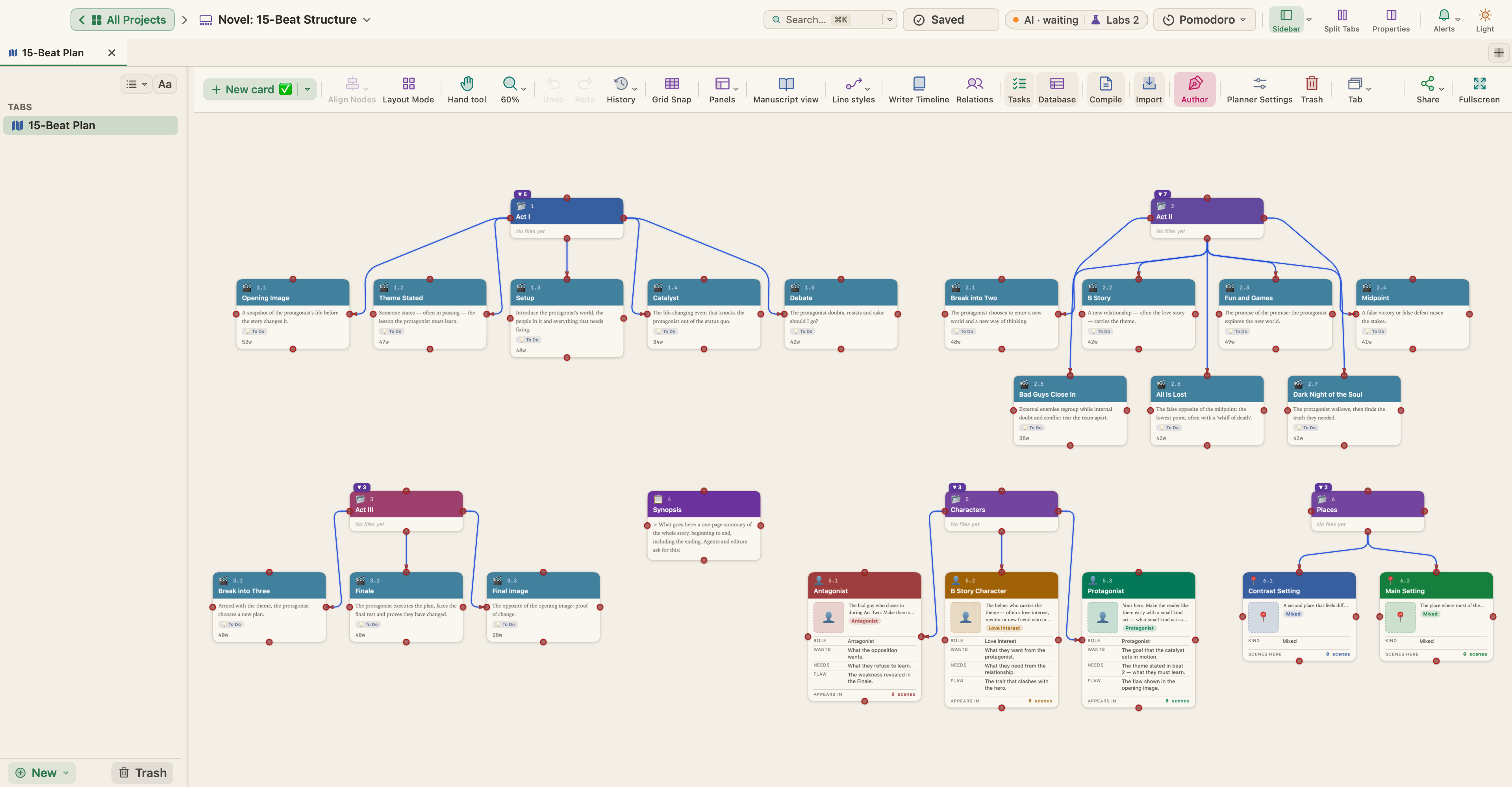
The Save the Cat! beat sheet names fifteen moments a story passes through and suggests roughly where each one falls. Used as a set of questions, it shows where a plan is thin before you write the chapters.
Where the beat sheet comes from
Blake Snyder set out the fifteen beats in Save the Cat! (2005), a screenwriting book. The title comes from his advice to make the audience like the hero early, through a small kind act. Jessica Brody adapted the method for fiction in Save the Cat! Writes a Novel (2018).
The beats stay the same in a novel; the scale changes. A beat that takes a page of a screenplay can be one scene or several chapters of a book.
Story structure and turning points compares it with other structures.
The fifteen beats
The positions are shares of the whole book, and rules of thumb, not targets.
| Beat | What it does | Roughly where |
|---|---|---|
| Opening Image | The protagonist's life before the story changes it, flaw included | 0–3% |
| Theme Stated | Someone names what the protagonist needs to learn; they don't hear it yet | 3–7% |
| Setup | Their world, the people in it and what needs fixing | 7–12% |
| Catalyst | An event that happens to them and ends the old normal | 12–15% |
| Debate | Doubt and resistance: should they go? | 15–22% |
| Break into Two | They choose to enter a new situation; Act Two begins | 22–27% |
| B Story | A new relationship, often a love story or a mentor, that carries the theme | 27–32% |
| Fun and Games | The premise in action: the scenes readers came for | 32–48% |
| Midpoint | A false victory or a false defeat raises the stakes | 48–55% |
| Bad Guys Close In | Pressure from outside and doubt inside grow together | 55–65% |
| All Is Lost | The low point: something is lost, and the old self starts to go with it | 65–72% |
| Dark Night of the Soul | They sit with the loss, then see the truth they needed | 72–78% |
| Break into Three | Changed, they find a plan that joins the main plot and the B Story | 78–83% |
| Finale | The plan carried out; they win as the new person, not the old one | 83–95% |
| Final Image | The "after" picture, a mirror of the opening | 95–100% |
How the beats fit three acts
- Act One, roughly the first quarter: Opening Image to Debate.
- Act Two, the long middle: Break into Two to Dark Night of the Soul. The Midpoint splits it: before it, the stakes are low; after it, the pressure turns.
- Act Three: Break into Three, Finale and Final Image.
The two breaks are the act turns, and both should be choices the protagonist makes. The Catalyst happens to them; the breaks are their answers.
Plan the big beats first
Don't fill the sheet top to bottom. Start with the four that carry the most weight:
- Catalyst. What happens, and why now?
- Midpoint. What changes halfway? Is it a false victory, where the protagonist seems to get what they wanted, or a false defeat?
- All Is Lost. What, concretely, does the protagonist lose? It usually swings the other way from the Midpoint.
- Finale. How do they win, or fail, by acting as the person they have become?
Then the breaks: what choice leads into Act Two, and from the low point to the final plan? Decide the Opening and Final Images together; the difference between them is the story in two pictures. Plan the long stretches, Fun and Games and Bad Guys Close In, as runs of scenes that each turn on something.
Common mistakes
- Beats filled in for their own sake. A Theme Stated line that sounds like a slogan, or a B Story character who arrives on cue and then does nothing. Every beat should change something.
- A soft Midpoint. If nothing turns in the middle, the second half repeats the first. The Midpoint should change what the protagonist wants, knows or risks.
- An All Is Lost with nothing lost. A setback they shrug off is not a low point. Something of real value has to go: a person, a plan, a belief.
- Percentages read as deadlines. A Catalyst at 18% is fine if the setup is doing work. Check order and escalation first, timing second.
See also pacing a novel and protagonist, antagonist and conflict.
Planning the beats in WriterMorph
In WriterMorph this structure is called the 15-Beat Structure.
Start from the template
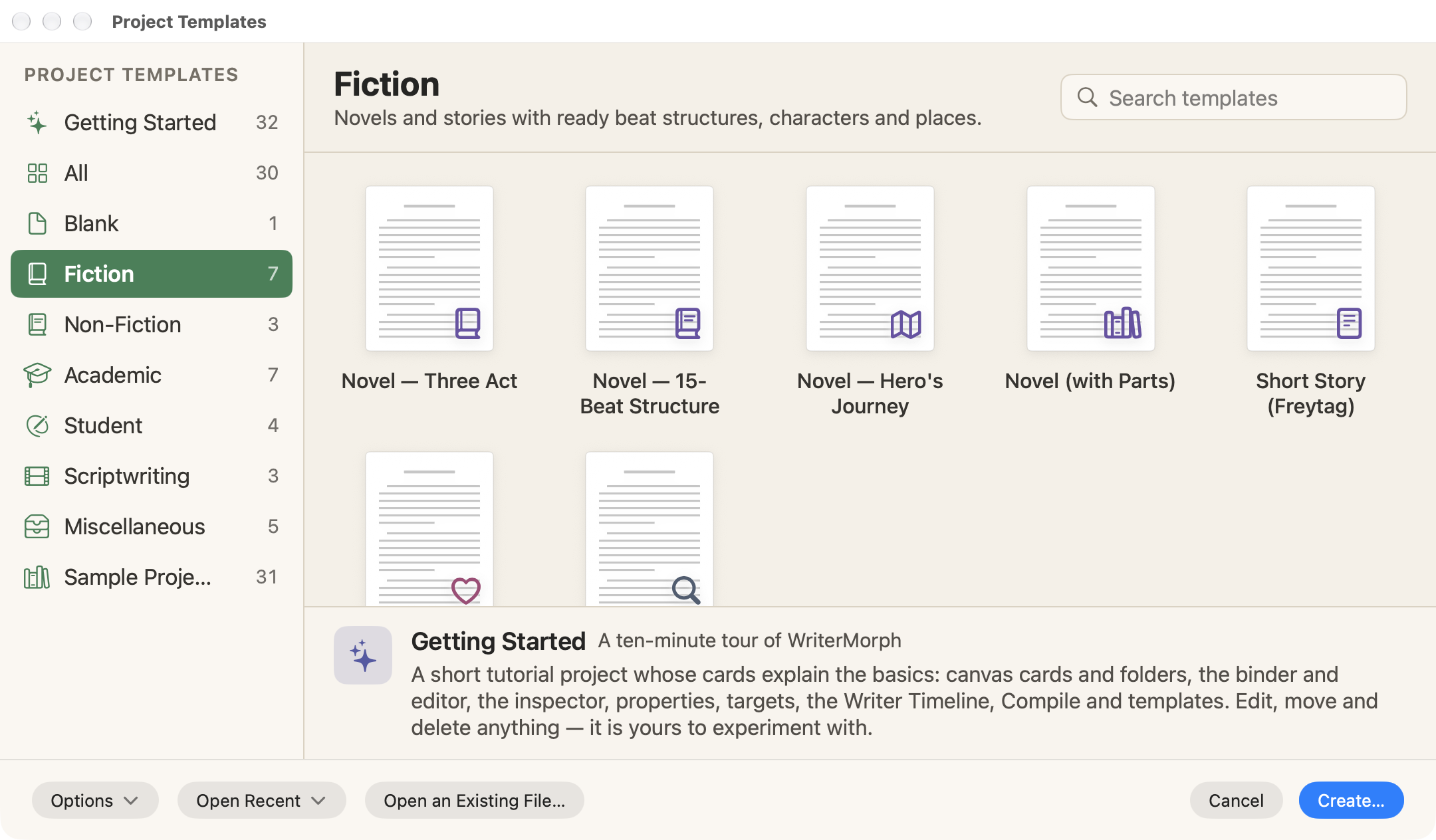
Choose File › New Project… (⇧⌘N), pick the Fiction category in the Project Templates window, select Novel — 15-Beat Structure and click Create…. The Romance Novel template uses the same structure with romance beats; Templates and Demo Projects lists them all.
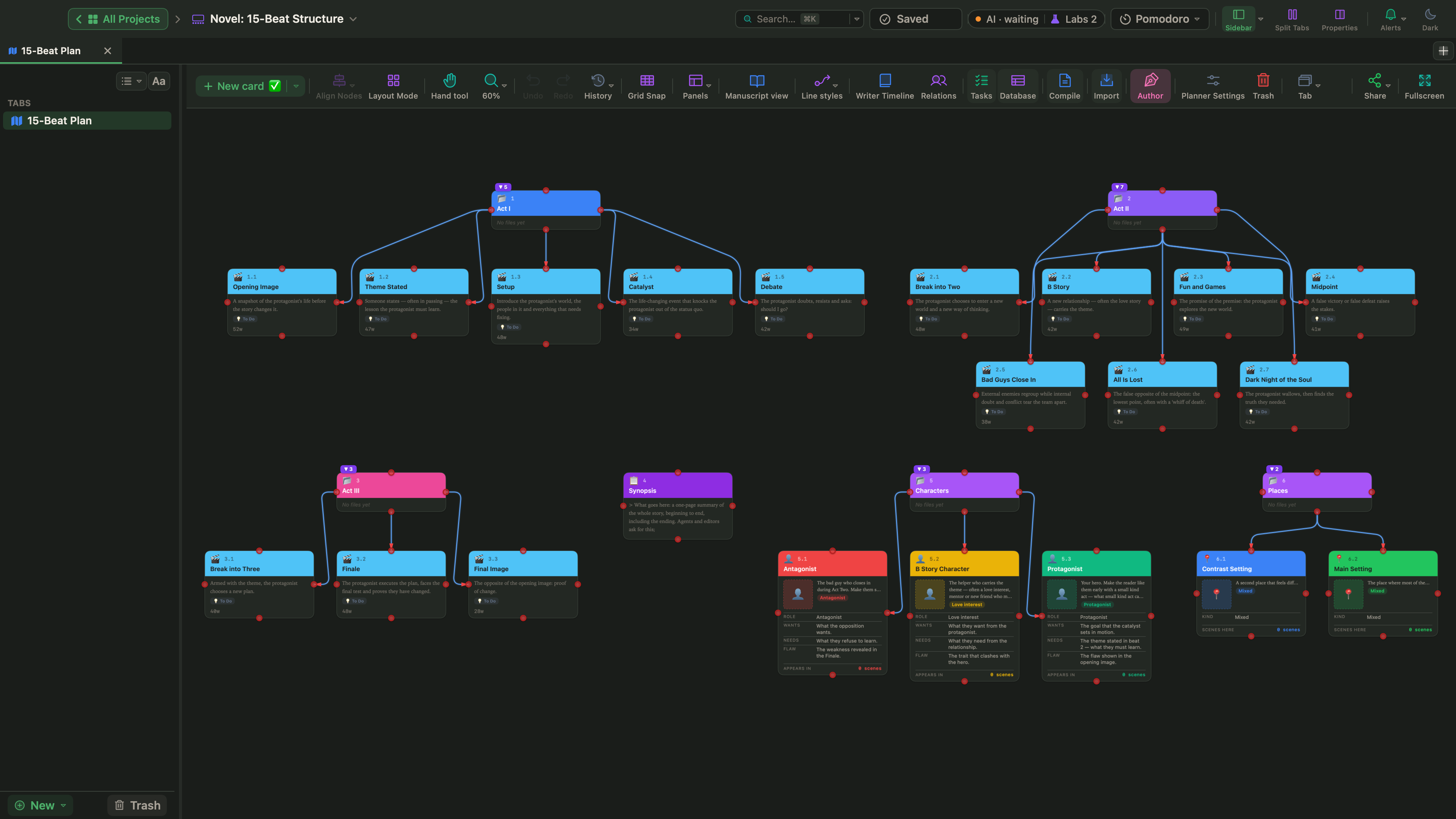
The project opens with one scene card per beat in three folders: Act I holds Opening Image to Debate, Act II Break into Two to Dark Night of the Soul, and Act III the last three beats. Each card has a synopsis, a To Do status, its beat, a target tension and a short guide: what goes here, and two questions to answer.
Outside the manuscript, and never compiled, are a Synopsis page with a logline pattern and the Characters and Places folders. The Protagonist card's Wants, Needs and Flaw point back to the Catalyst, Theme Stated and Opening Image.
Split beats into scenes
Add scene cards as the plan grows, and set each one's Beat Assignment in the Writer Timeline section of the Properties panel (⌥⌘P). The picker shows each beat with its act, its range and its scene count, such as Act Two · Midpoint, 48–55%. Select several cards, and Bulk edit sets the beat for all of them.
In Manuscript Mode (⌃⌘M), drag the index cards on the Corkboard (⌘2) to reorder scenes, or list them in columns in the Outliner (⌘3). The template sets no word targets; add your own to any card.
See the shape on the Writer Timeline
Open the Writer Timeline with View › Writer Timeline (⌥⌘T); fiction templates turn on the Author mode it needs. The Plot Board shows the beats and acts above the chapters, and the Story Map shows missing beats as dashed columns.
The Tension panel draws the book's curve from each scene's 1–10 rating, with the structure's beats as markers; below is The Salt Archive, a sample built on the Three Act Structure. The template's target tensions run from 3 at the Opening Image up to 10 at the Finale and back to 3, so the curve has a shape before you write a word.
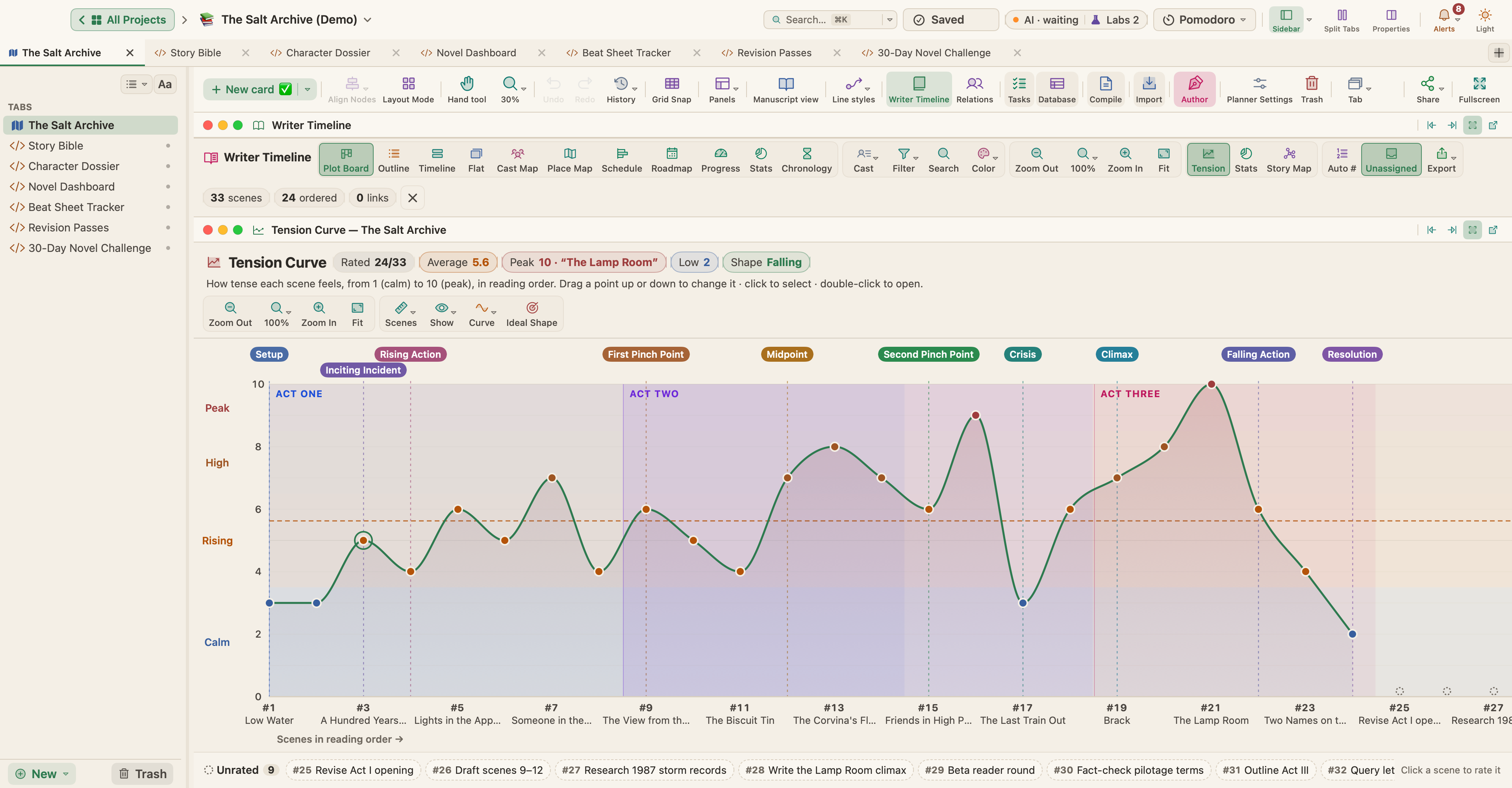
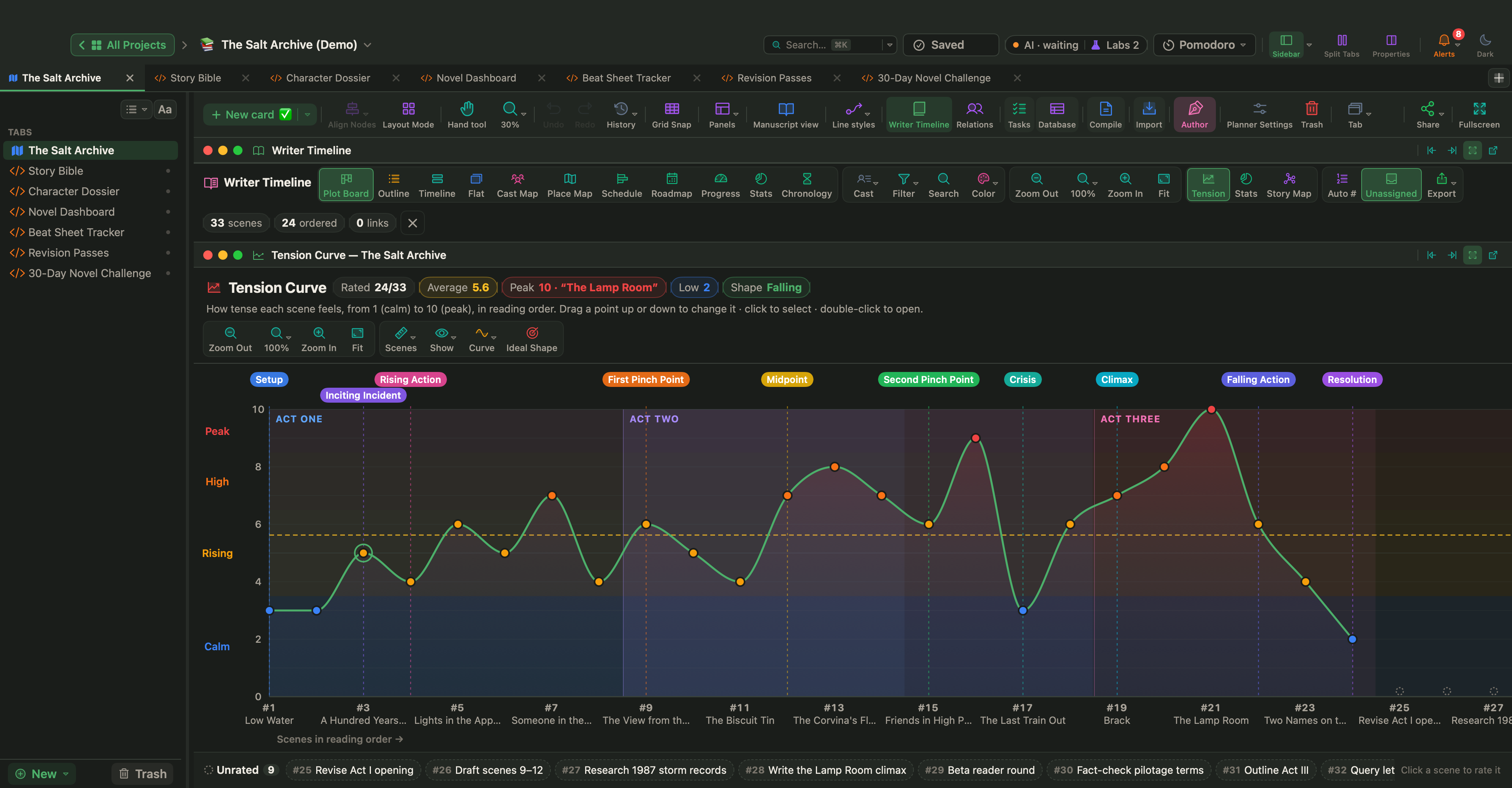
To try another lens, pick a different beat sheet from the Plot Board's Structure menu; switch back to 15-Beat Structure, and your beat assignments return.
Track the beats with a Live Page
Live Pages are a Labs feature. Turn on Turn HTML pages into small apps (Live Pages) in Settings › Labs, choose New ▾ › Live Page ▸ › Examples ▸ in the sidebar and pick Beat Sheet Tracker under Fiction. It checks your scenes against the project's beat sheet: gaps, crowded beats, beats that land early or late. In an early draft, switch from Words written to Planned words or Scene count, so unfinished scenes don't skew it.
Plan the four big beats, pair the two images, and let the rest of the sheet ask you questions. When a beat refuses to come, that is usually where the story needs thought, not where the formula failed.
Save the Cat! is a trademark of its owners. WriterMorph is not affiliated with or endorsed by them.