 WriterMorph

How to write an essay: from the question to a clean final draft (MLA, APA, Chicago)
Take the question apart, commit to a claim, plan one paragraph per point, draft fast, cite as you go and finish with a formatting pass. With a short comparison of what MLA, APA and Chicago ask for on the page, and the same steps in WriterMorph.
At the end of term, essays arrive in a bunch, often with deadlines in the same week. The ones that go well tend to follow the same order: read the question until you know what it asks, decide what you will argue, plan the paragraphs, draft them quickly, and leave the formatting to a separate pass at the end. Citations go in as you write, not afterwards.
This article goes through those steps, compares what the three most common citation styles ask for on the page, and then shows the same work in WriterMorph.
Take the question apart
Most weak essays answer a slightly different question from the one that was set. Before you read a single source, copy the question out and mark three things in it:
- The task word. Analyse asks how something works; compare asks for likeness and difference; evaluate asks for a judgement with reasons; discuss asks you to weigh more than one view and still come down somewhere. Describing is rarely enough for any of them.
- The topic and its limits. A period, a text, a place, a theory. Words like "in the novel's second half" or "since 2000" are part of the question.
- The conditions. Word limit, number and kind of sources, citation style, due date, and the marking rubric if there is one. The rubric tells you what the marker will look for; read it now, not on the last evening.
Then rewrite the question in your own words as one question you can answer. If you can't, ask your instructor now. That is a normal question in week one and an awkward one the night before.
Find a claim worth arguing
The claim, or thesis, is your answer in one or two sentences. It has to be something a reasonable reader could disagree with; otherwise there is nothing to argue. Compare:
- Libraries are important to communities. True, but nobody disputes it, so the essay has nowhere to go.
- Public libraries are not warehouses of books but civic infrastructure: they give everyone access to services that have moved online, a free place to meet and the skills to judge what they read.
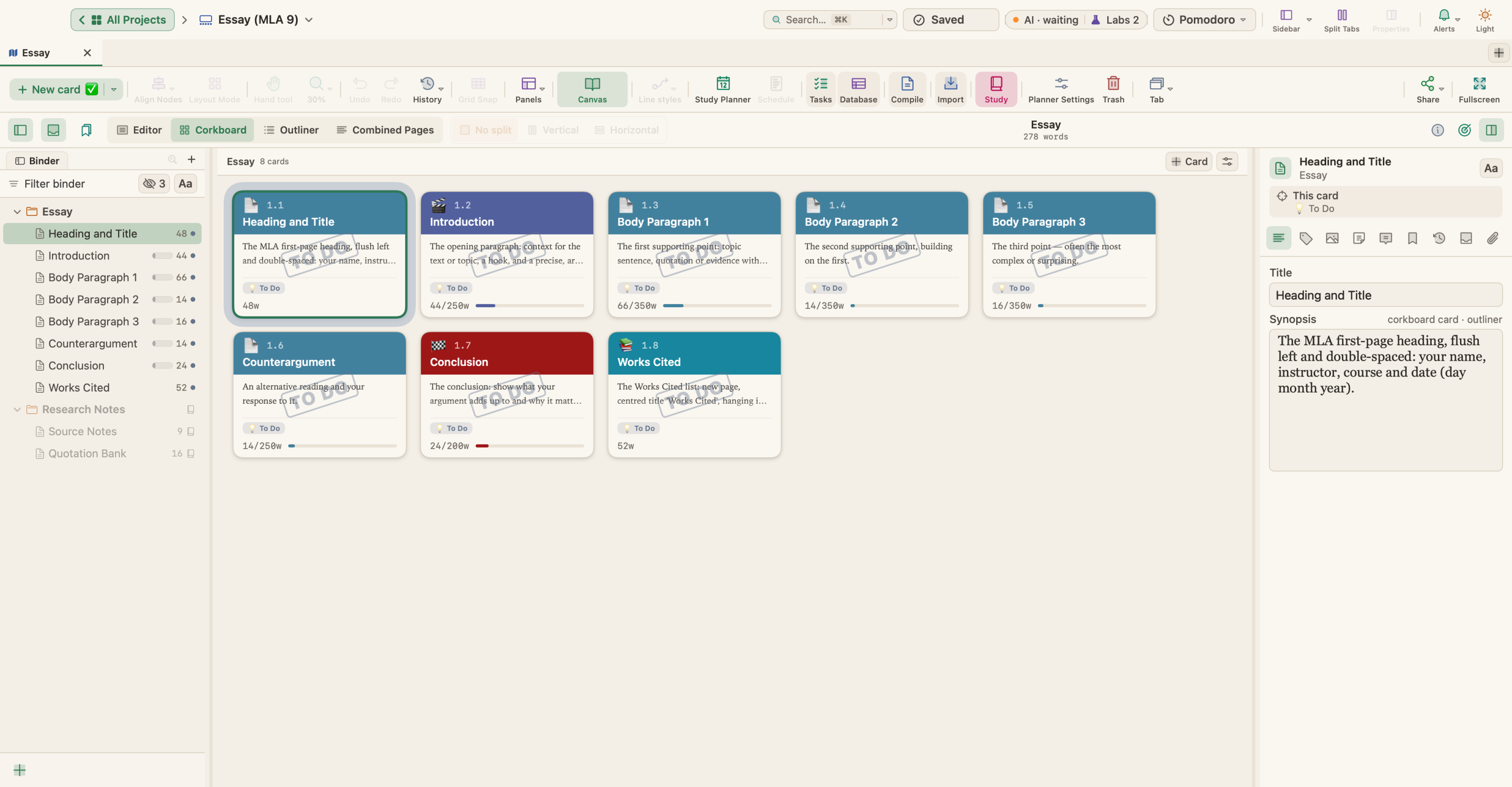
The second is narrower, it can be wrong, and it already names three reasons. Those reasons become your body paragraphs. It is the thesis of the sample essay in WriterMorph shown below.
Your claim will change as you read and write. That is fine; just make sure the final version matches what the essay actually argues, and rewrite the introduction last.
Plan one paragraph per point
Turn the claim into a list of paragraphs before you draft. Each body paragraph makes one point that supports the claim, and the order should make sense: often the most basic reason first and the most surprising last. A common shape for a body paragraph:
- A topic sentence that states the point.
- Evidence: a quotation, a figure, an example, with its citation.
- Explanation: what the evidence shows and how it supports the point. This is the part markers reward and students cut.
- A link back to the claim, or on to the next paragraph.
Then give each part a word budget so the total fits the limit. For a 2,000-word essay, about 250 words each for the introduction and the conclusion leaves 1,500 for the body: three points of about 350 words and a counterargument of about 250. Answering the strongest objection to your claim, and saying why it does not change your answer, usually makes an essay more convincing, not less.
Draft fast, then reread
Write the body first, in any order, and the introduction and conclusion last, when you know what the essay argues. Don't polish sentences while you draft. If you need a better word, a date or a page number, leave a marker such as [CHECK] and keep going; fix them all in one sweep afterwards.
Once the draft is complete, read it with the question beside you. Does every paragraph answer it? Does the conclusion say what the essay has shown, rather than repeat the introduction?
Cite as you go
Put the citation in the moment you use a source, quotation or paraphrase alike: a paraphrase needs a citation as much as a quotation does. Keep one note per source with the full reference, the page numbers of anything you might quote, and where in the essay you use it. Adding citations at the end means hunting for page numbers you no longer have.
Your style guide decides how the citation looks, so know which style you are using before you start.
MLA, APA and Chicago on the page
The three styles agree on the basics: double-spaced text, 1-inch margins and a readable font such as Times New Roman 12 pt. They differ in where the information goes:
| MLA (9th edition) | APA (7th edition, student paper) | Chicago (notes and bibliography) | |
|---|---|---|---|
| Common in | Literature and languages | Psychology, education, social sciences | History and the arts |
| Title page | None unless asked for; a heading on page 1 (your name, instructor, course, date) | Yes: title, your name, institution, course, instructor, due date | Often, if your instructor wants one; otherwise the title on page 1 |
| Page header | Your surname and the page number, top right | The page number only, top right | Page numbers |
| In the text | Author and page: (Smith 45) | Author, year and, for a quotation, page: (Smith, 2020, p. 45) | A superscript note number, with the source in a footnote or endnote |
| List at the end | Works Cited | References | Bibliography |
Editions matter. The Chicago notes and bibliography system now follows the 18th edition of the Chicago Manual of Style, which no longer requires the place of publication in a book reference unless it is needed for clarity; guides written for the 17th edition still include it. Many students are asked to follow Turabian's Manual for Writers, which adapts Chicago for student papers. APA's abstract is not usually required for a student paper unless your instructor asks for one.
These are the basics, taken from the Purdue OWL guides to MLA general format and MLA in-text citations, APA general format and APA in-text citations, and Chicago general format. Your course guide and your instructor come first.
The final formatting pass
Do the formatting last, in one pass, with a checklist:
- The heading or title page has every element your style asks for, in its order.
- The page numbers and header are right, on every page.
- Every source cited in the text is in the list at the end, and every source in the list is cited.
- The list is in alphabetical order with a hanging indent.
- Quotations are exact, with page numbers.
- The word count is within the limit, counting what your course says to count.
- The file name and format are what the submission system asks for.
Writing an essay in WriterMorph
Start from an essay template
Choose File › New Project… (⇧⌘N). The Academic category has Essay (MLA 9), Research Paper (APA 7) and Essay (Chicago), set up for notes and bibliography; the Student category has the Five-Paragraph Essay, the Argumentative Essay and a 650-word College Application Essay.
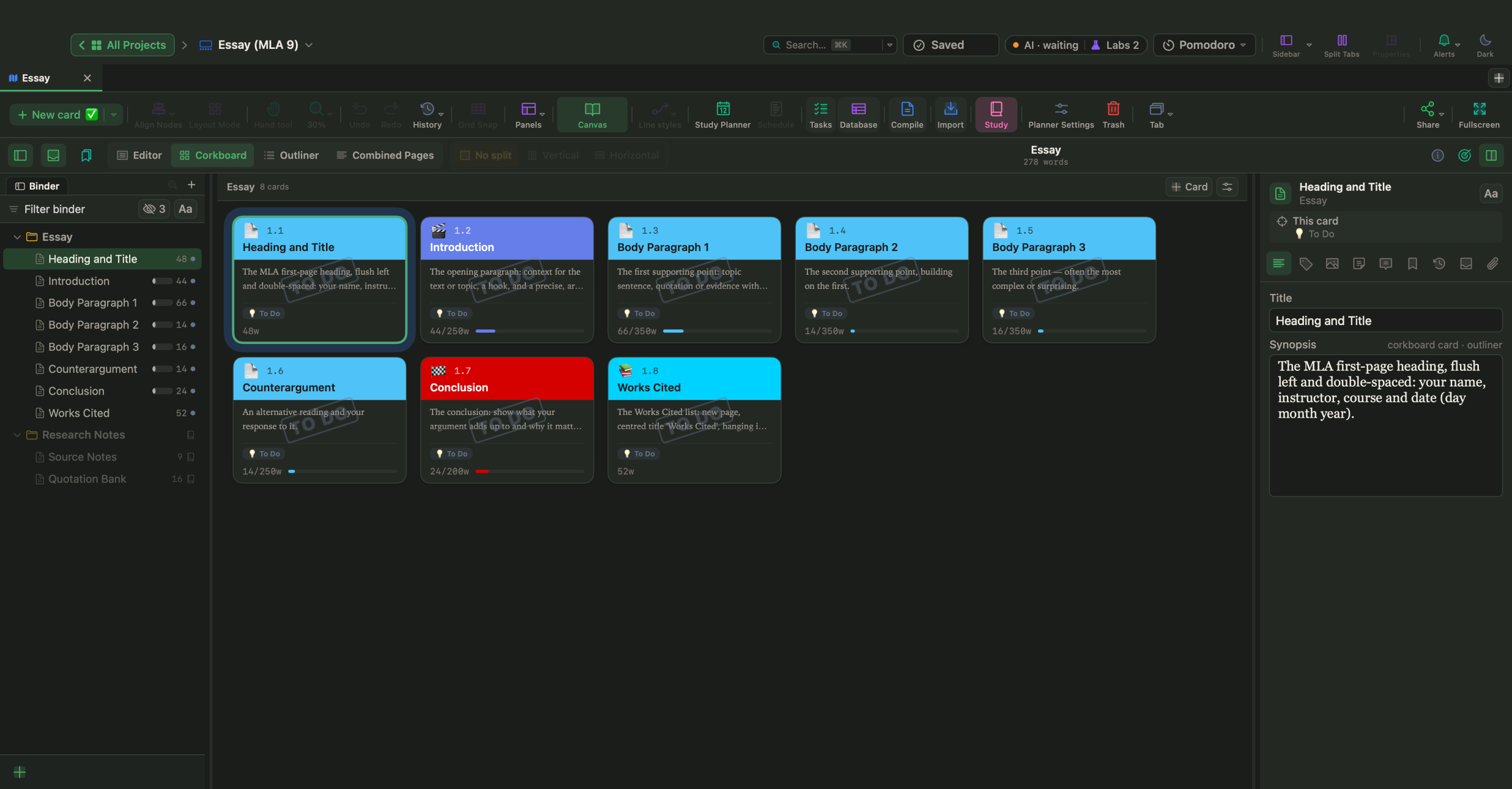
The Essay (MLA 9) template, in the picture at the top, gives you a card for the heading and title, the introduction, three body paragraphs, a counterargument, the conclusion and the Works Cited page. Each card says what goes there: the heading card lists the four lines of the MLA heading, and the Works Cited card lists MLA's core elements and a checklist. The paragraphs have word targets for a 2,000-word essay, so the progress bars show at once which paragraph is short. A Research Notes folder with Source Notes and a Quotation Bank stays outside the essay and is never compiled. Change the targets to fit your own limit.
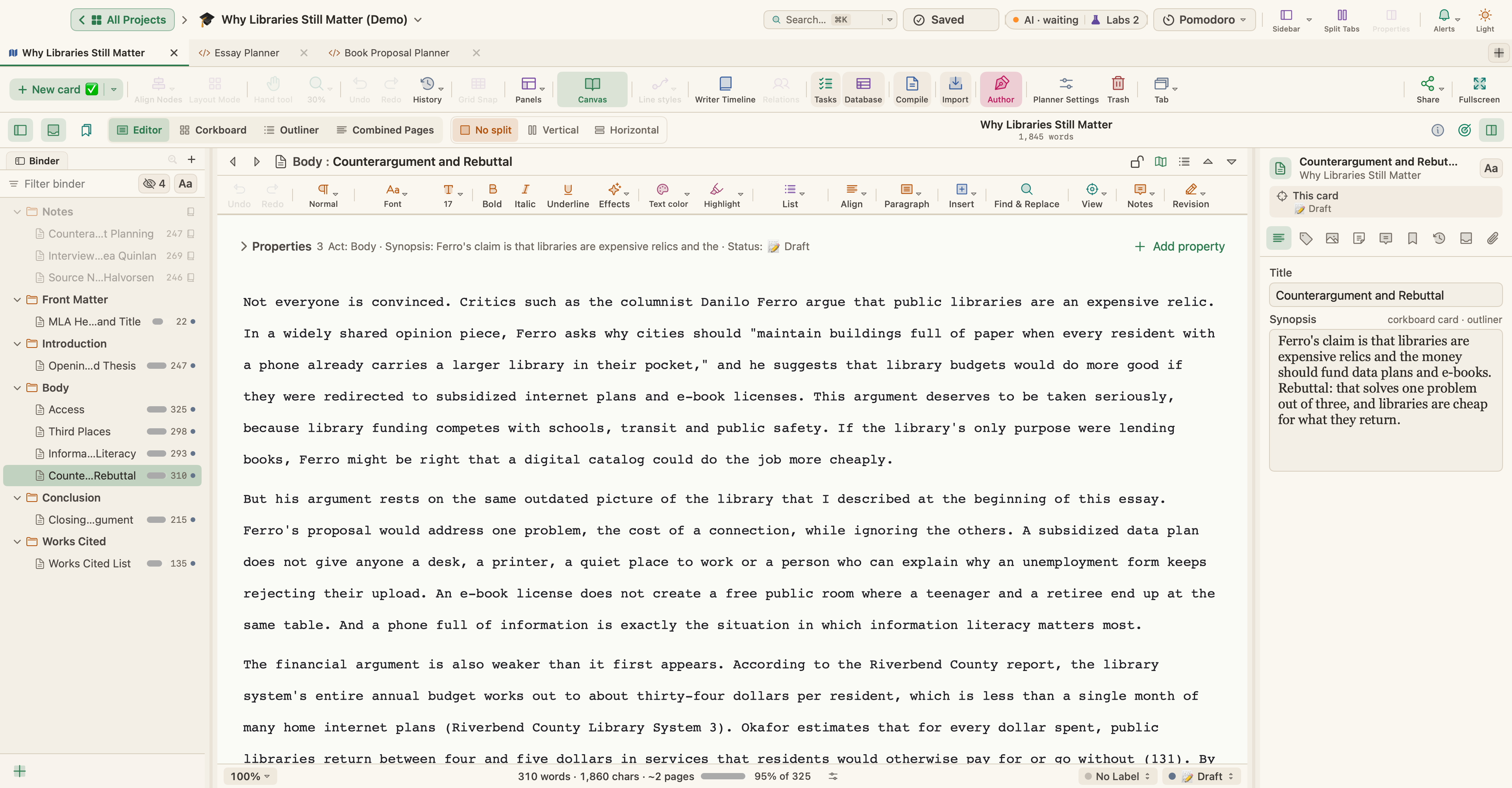
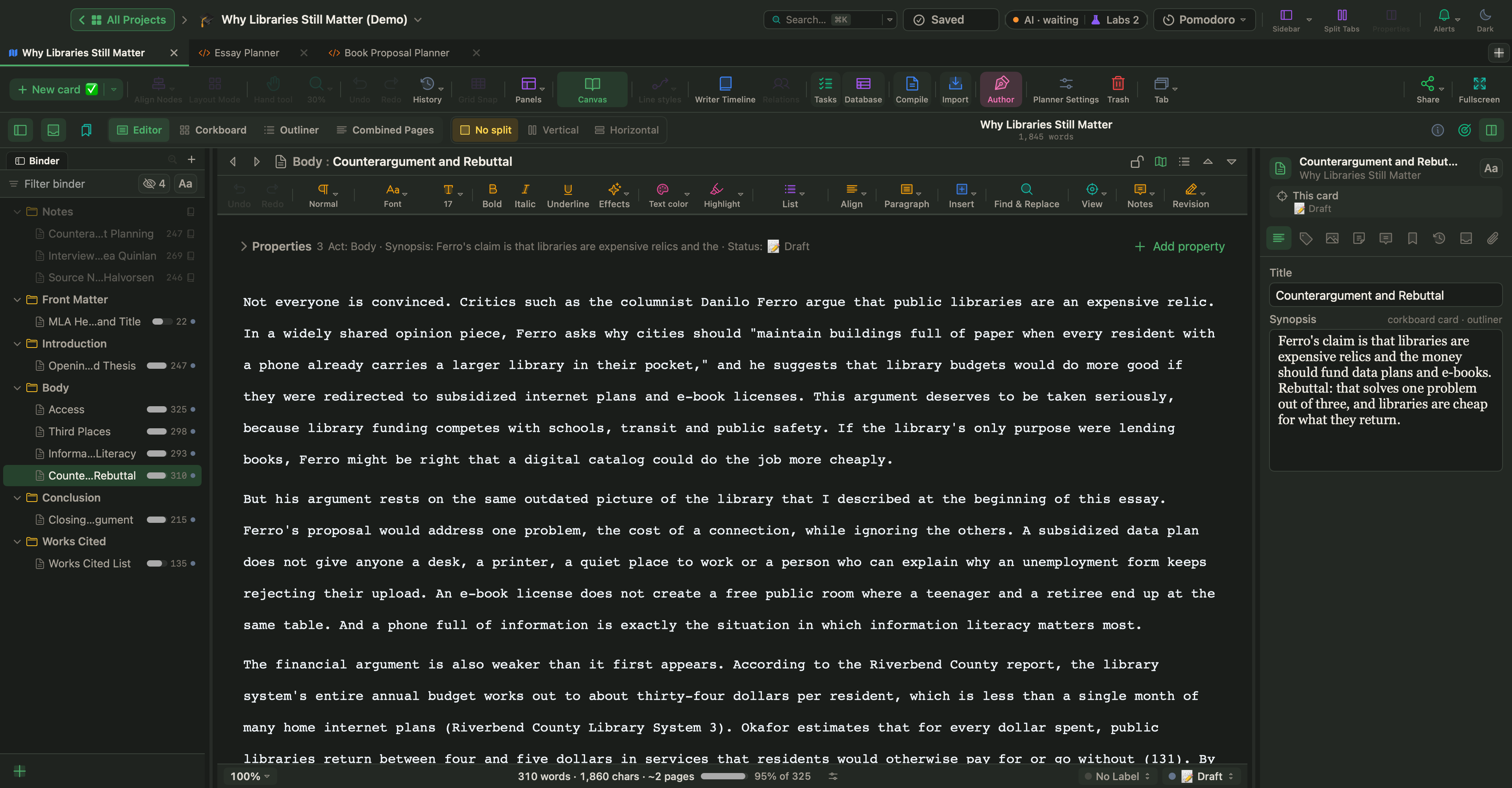
For a finished example, open Why Libraries Still Matter from Help › Demo Projects, a sample MLA essay on public libraries, or download it from Sample projects. Its sources and people are invented.
Plan the argument and the word budget
The Essay Planner is a Live Page in the Academic & Research examples. In the sample essay it holds the thesis, a paragraph plan read from the essay's sections, an argument map from each claim to its evidence, the counterargument and the rebuttal, and the word count against the limit. Live Pages are a Labs feature: turn on Turn HTML pages into small apps (Live Pages) in Settings › Labs, then choose New ▾ › Live Page ▸ › Examples ▸ in the sidebar.
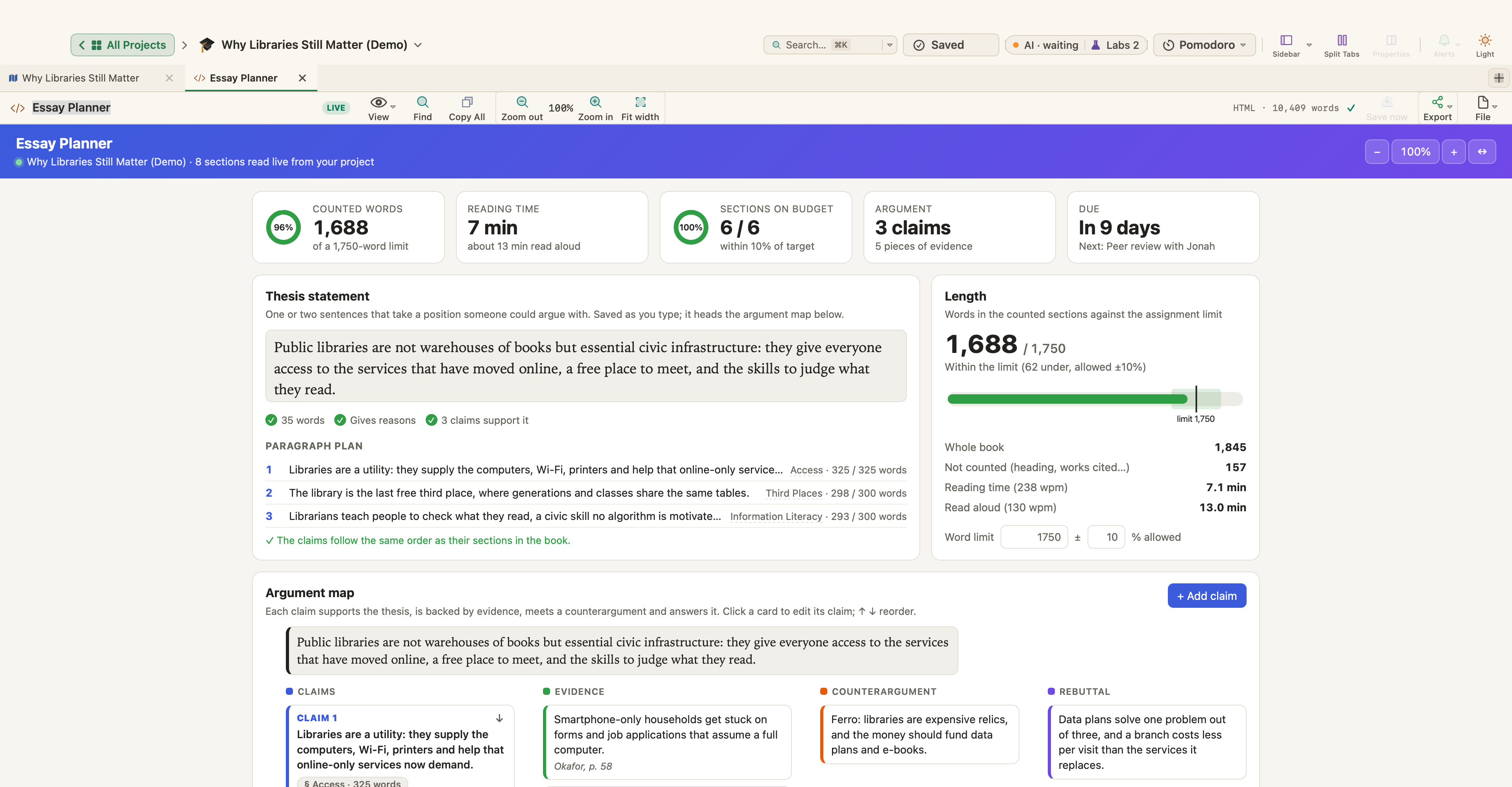
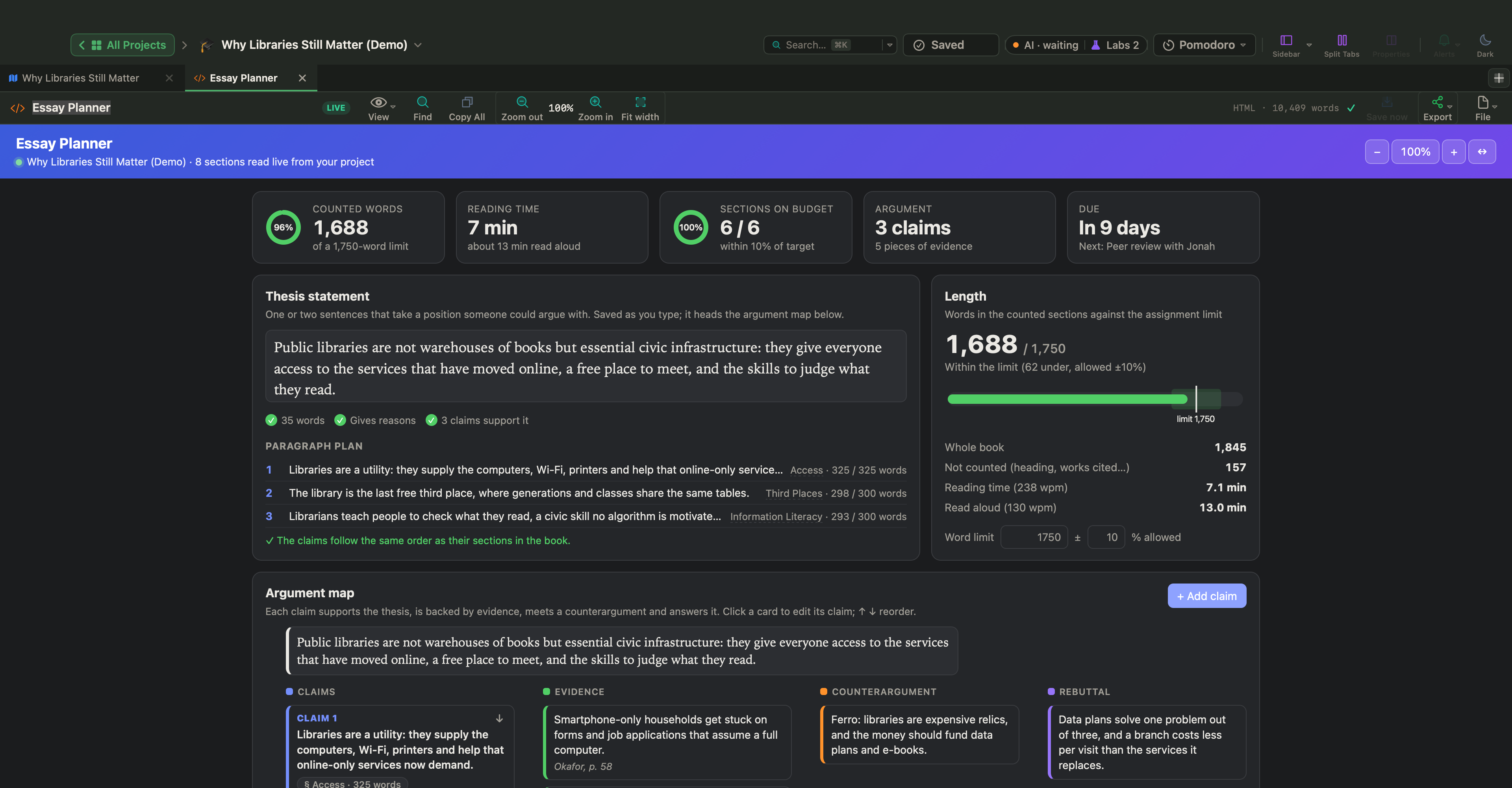
Without Live Pages, the Corkboard (⌘2) does the planning: one card per paragraph, with the point in its synopsis. Drag the cards to try another order.
Citations and notes
Project › Bibliography… imports references as BibTeX, CSL JSON or RIS, the formats that Zotero, EndNote and Bookends can export. Insert › Citation… adds a citation at the cursor, with an optional page number. In Compile, Format citations writes them as Author–Date (APA), Chicago Author-Date or Numeric, and lists the references at the end. There is no MLA style among them, so for an MLA essay type the citation, such as (Smith 45), and write the Works Cited entries yourself on their card.
For Chicago notes, choose Insert › Footnote (⌃⌘8) where the note number goes and write the note. Compile turns it into a real footnote at the bottom of the page in PDF and Word.
Compile the final draft
Choose Project › Compile… (⌥⌘E) and the Manuscript preset: US Letter, Times New Roman 12 pt, double-spaced, 1-inch margins, which matches the basic page of all three styles. Its running header is made for book manuscripts, so compile to Word (DOCX) and set the header your style asks for in Word, then go through the checklist above. More on the settings in How to format and compile your manuscript.
Start tonight with the question: copy it into the first card, mark the task word and the limits, and write your claim in one sentence, even if it changes tomorrow.