 WriterMorph

Story structures from Obsidian and AI apps: import, export and drafts you edit
Keep your beat sheet as plain notes in an Obsidian vault and bring it into WriterMorph as a structure of your own, then export it back. Or, on the Mac, ask an AI app you have connected to draft a structure, and make it yours on the Structures page.
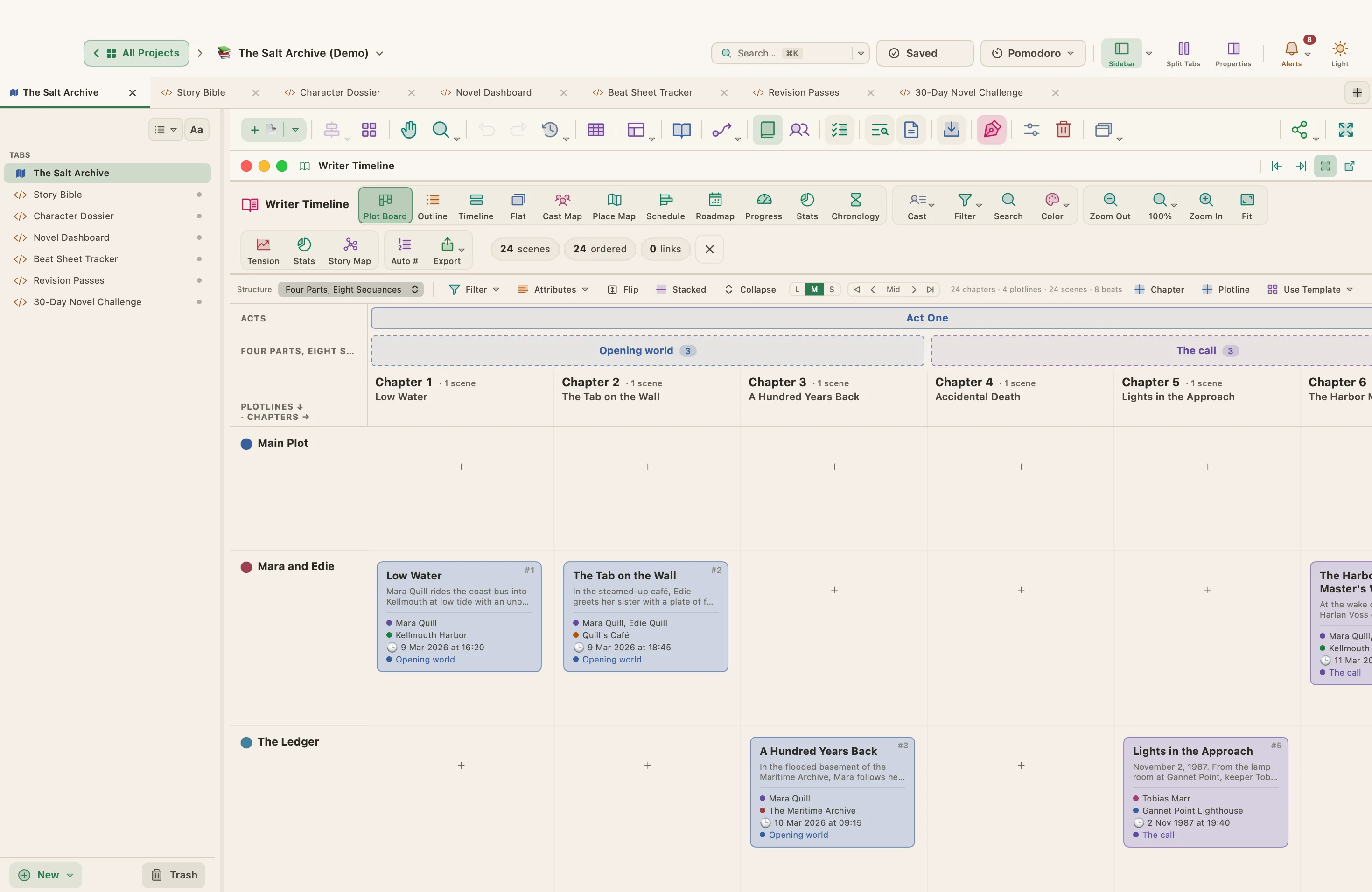
Many writers plan in more than one place. The structure of a book may begin as notes in an Obsidian vault, one note per beat, long before there is a manuscript. Or it may begin as a conversation: a list of turns you talk through with an AI app until it looks like your book.
WriterMorph can take a structure from either place and make it one of your own, with its acts, its beats and the point where each beat starts. This guide shows how to write beat notes that import cleanly, how the structure goes back out to the vault, and how to use an AI app for a first draft without handing it the book. For building a structure by hand, see make your own beat sheet in WriterMorph.
Why keep a structure in plain notes
A beat sheet is small, and it changes more than the scenes do. Kept as Markdown notes, it is readable in any editor, easy to copy into the next book, and safe from any one app. A note per beat also gives each beat room for more than a name: what it must achieve, the question it answers, the scenes you have in mind.
The vault and WriterMorph do different jobs. The vault holds your thinking about the structure. WriterMorph lays your scenes over it, so you can see which beats are full, which are empty and where the book runs long.
Write the beat notes
Obsidian stores a note's fields as properties, the YAML frontmatter at the top of the note. WriterMorph reads them on import; importing your work lists every field it maps. For a beat, five fields matter:
| Field | What it does | Example |
|---|---|---|
Class |
Marks the note as a beat | Beat |
Beat Model |
The name of the structure the beat belongs to | Four Seasons |
Act |
The act the beat is in: a number, a Roman numeral or a word | 2, II or Act Two |
Range |
Where the beat sits in the book, as a percentage | 25–50% |
Purpose |
What the beat does; it becomes the card's synopsis | The orchard pays, as cider. |
A beat note for a novel planned around the seasons of one year might look like this:
---
ID: beat-summer
Class: Beat
Beat Model: Four Seasons
Act: 2
Range: 25–50%
Purpose: The orchard pays, as cider. The plan works, for now.
---

Summer is the stretch of hope. Keep it short of triumph:
the frost in act three needs something to take away.
The note's file name is the beat's name. A number at the start of the name, as in 12.01 Summer.md, says the beat starts at scene 12; WriterMorph leaves the number out of the beat's name.
What to put in the body of a beat note
The fields place the beat; the body of the note is where you think about it. A few lines are enough, and they pay off when you come back to the plan months later:
- The job. What changes in this beat: a decision, a discovery, a loss.
- The question. What the reader wonders at this point, and whether this beat answers it or makes it sharper.
- What it needs earlier. The setup this beat depends on, so you can check that the setup is really there.
- The scenes you have in mind. Links to scene notes, or a line for each scene you have not written yet.
The body comes into WriterMorph as the text of the beat's card, so the thinking travels with the beat.
How WriterMorph reads them
- Where beats start. If every beat note has a
Rangewith a percentage, the first number of each range is where that beat starts. If not, the scene numbers in the file names set the starts, and without those, the beats share the book evenly. A range without a % sign, such as a page range, is not read as a position. - Acts. The
Actfield puts each beat in its act.Beat Acts, an optional field with a number, sets how many acts the structure has, for a vault whose later acts have no beat notes yet. - Known structures. If the
Beat Modelnames a structure the planner already has, or at least half of the beat names are those of a built-in structure, WriterMorph uses that one. A vault of beat notes named after the fifteen beats of a well-known beat sheet arrives on the built-in 15-Beat Structure. - New structures. A
Beat ModelWriterMorph does not know, with beats of its own, becomes a new structure of yours, used by the planner. It needs at least two beats, and the first 60 are used. - Scenes. A scene note with a
Beatfield, naming one of the beats, keeps that beat. The other scenes are placed by the numbers in the beat notes' file names: a beat that starts at scene 12 takes scene 12 and the scenes after it, up to the next beat.
Import the vault
- Choose File › Import › Obsidian Vault… and select the vault folder.
- A progress window and a report show what was imported, including the number of beats and any beat note that did not match the structure.
The vault becomes a new project. Open Project › Project Settings… (⌥⌘,) and click Structures: your structure is listed under Your structures, with the In use chip. Edit it there like any other: rename a beat, move a start, add an act. Your vault itself is never modified.
Keep the vault and the planner in step
If you keep planning in Obsidian, bring the changes in with File › Import › Obsidian Vault into Current Planner (Update by ID)…. It updates cards in place instead of making copies, and WriterMorph takes a revert point first, so you can go back. For the structure, a beat note you have added to the vault is added to the structure; the beats already there, and the starts you set in WriterMorph, stay as they are. The update matches notes to cards by their ID field, so give each beat note one, as in the example.
Export it back to Obsidian
File › Export › Obsidian Vault… writes every card as a Markdown note with frontmatter, in folders that mirror your binder. The beat cards of your own structure get Beat Model, Range and Beat Acts, so importing that vault into another project builds the same structure there. That is also the way to carry a structure from one book to the next.
Beat cards are cards on the canvas, one per beat of a structure. A structure that came from a vault has them already: they are its beat notes. For a structure you made in WriterMorph, add them before you export: on the Plot Board, choose Use Template and pick the structure. It adds a card for each beat that has none, outside the scene flow, so they do not count as words and are not compiled.
Draft a structure with an AI app
WriterMorph has no AI of its own, and you need none to use structures. If you already use an AI app, such as Claude Code, Codex or a local model in LM Studio, you can connect it to WriterMorph on the Mac with AI Connections, and ask it, in plain words, to make a structure for you. Connect any AI app to WriterMorph explains the idea, and AI Connections the setup.
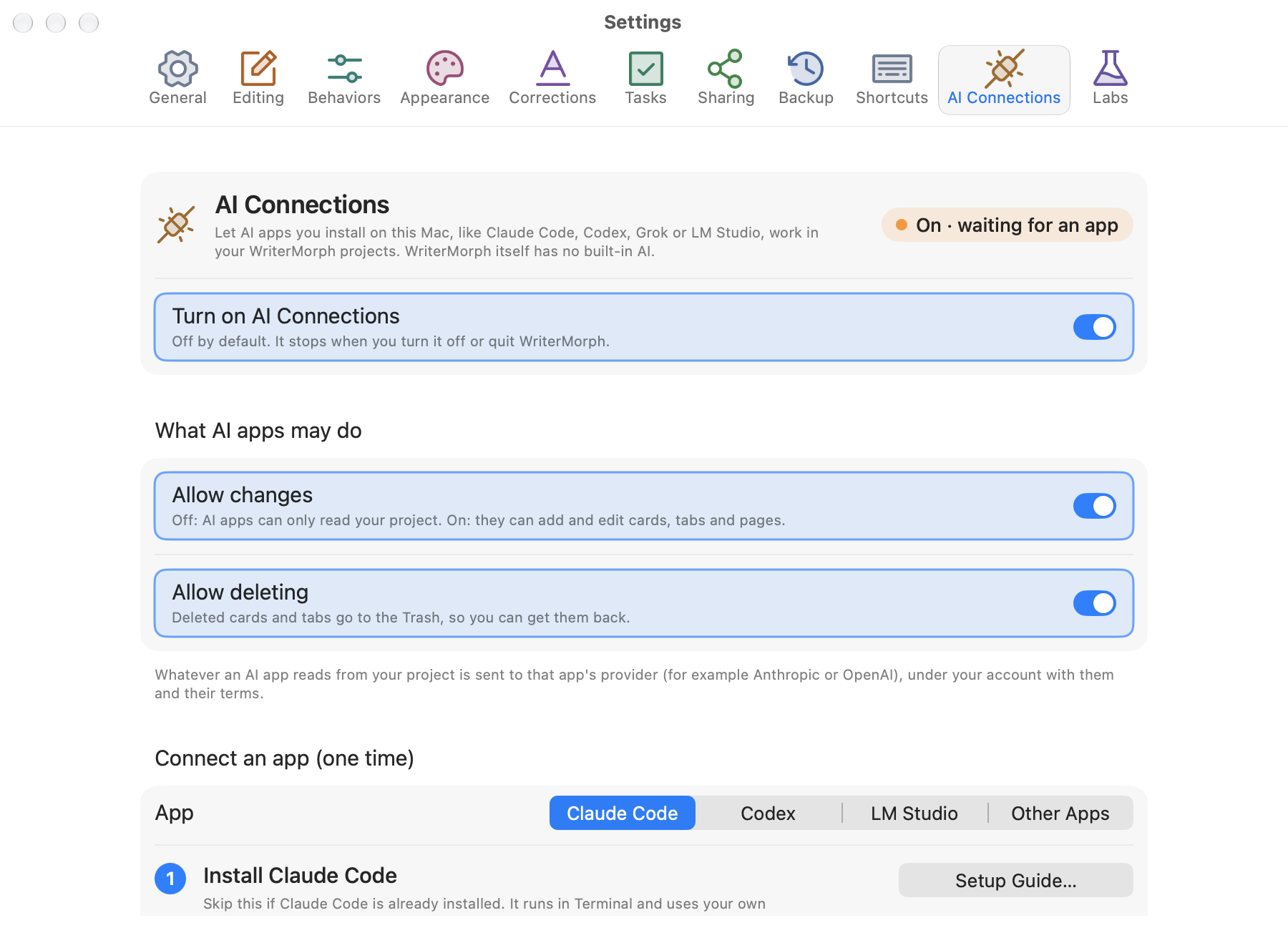
To let it change your project, open Settings (⌘,), choose AI Connections, switch on Turn on AI Connections and, under What AI apps may do, turn on Allow changes. A connected app can then make a structure of yours, change one, and switch the planner to it. Each change is one step that Edit › Undo (⌘Z) reverses.
What to ask for
Be specific about the shape, and keep the decisions for yourself. For example:
- "Make a structure called Four Seasons: four acts, one per season, two beats in each. Give each beat a short name and a start, and don't switch the planner to it yet."
- "Read the synopses of my scene cards and list where the book turns. Then suggest a structure that fits those turns, with a reason for each beat."
- "Give me two versions of a five-act structure for this book, one with the climax at 40% and one at 50%, as two separate structures."
- "Switch the planner to Four Seasons."
Judge the draft like any outline
A drafted structure is a list of suggestions, and it is only as good as your reading of it. Open it on the Structures page and question every beat:
- Is the beat in my book? A beat that names a moment your story does not have is a template, not a plan. Delete it.
- Is the name mine? Rename generic beats after what happens in your book. "The frost" is a better beat than "Second Pinch Point".
- Do the proportions fit? Look at the strip across the top of the editor. If a part you know is long is drawn short, move the starts.
- Does it ask a question? Read your scenes against it on the Story Map. A beat that stays empty is either a gap in the book or a beat the book does not need, and only you can say which.
Then save it as yours. From that point the structure is just a structure: the AI app is not needed to use it, change it or delete it.
The writer stays the author
Neither path writes your book. An imported structure is your own notes, reorganized. A drafted one is a starting list that you cut, rename and reshape until it describes the book you are writing. AI Connections is off until you turn it on, works only with the apps you connect, and every change it makes can be undone.
Start from whichever is closer to hand: the notes you already keep in Obsidian, or a conversation about the turns of your book. Bring it in, then open the Structures page and make every beat your own.